Understand Directorist’s
Core Features
Develop, add, manage, categorize, and monetize your listings websites using the
fast-growing Directorist plugin.
Surprising Free Features
of Directorist
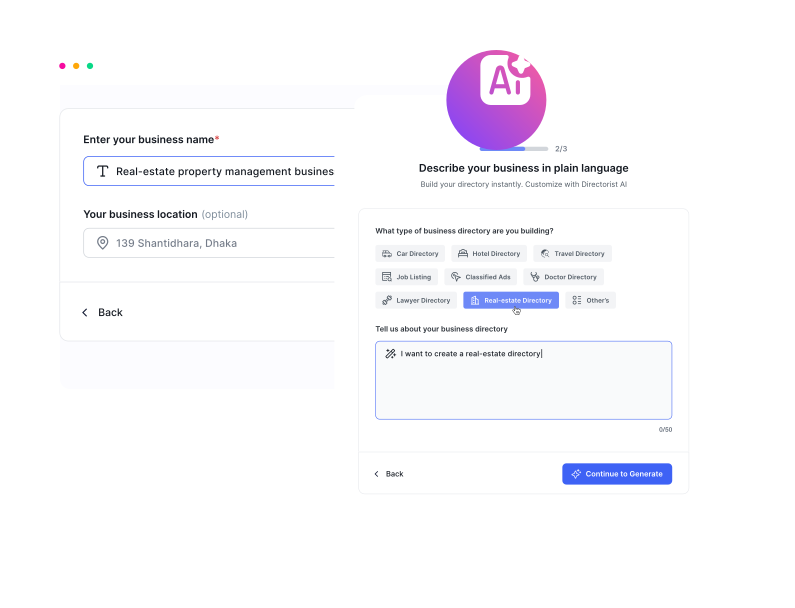
Directorist AI
Directorist AI is your smart assistant for creating powerful, customized business listings, local guides, and specialized directories with minimal effort. Simply tell us what type of directory you envision, and our AI-powered platform handles the rest.
Advanced Form Builder
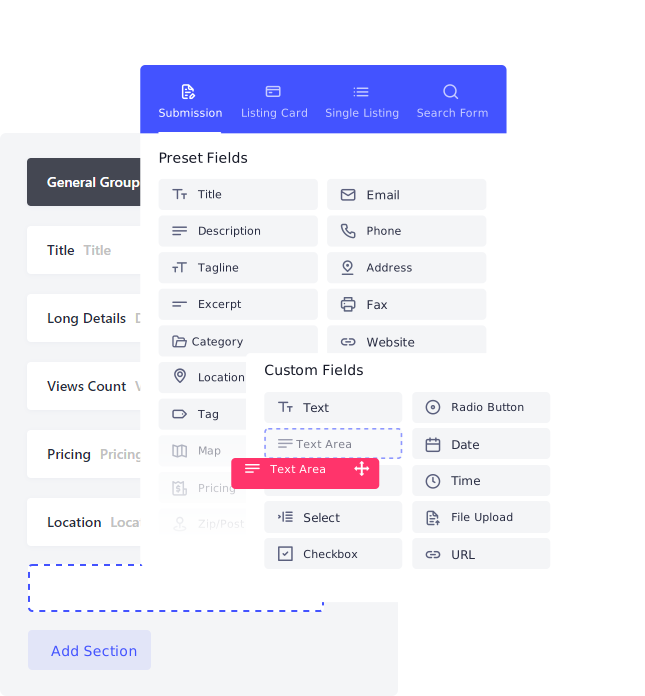
Use the most intuitive custom form builder to boost up your directory listing experiences. Drag & drop-based custom form builder allows you to use organize your directory website through Single Page Layout and Listings Card Layout with an advanced search system customizability.
- Drag & drop based input fields
- Advanced search form builder facility
- Create and customize the listing card for grid view
- Single Page Layout and Listings Card Layout
- Personalized builder settings panel
Multi Directory
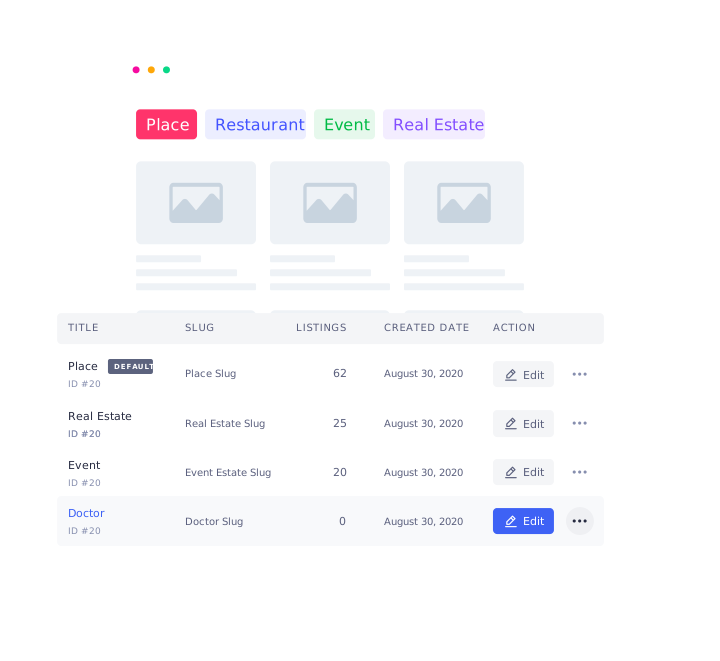
Scale up your directory with the structured multi-directory feature and organized it in the best way possible. You can create directory type from scratch with all the generic form building capacity or it can be created by importing as well.
- Creating new directory type as you wish
- Importing your directory
- Handy multi-directory management system
Easy Migration and
Personalization
A compelling user-friendly system that simplifies the
migration process by letting you import thousands of
listings from a CSV file and personalize the directory
using a wide range of short codes.
- Easy migration facility
- import thousands of listings through CSV
- Shortcode friendly


Scale to a Large Volume
of Listings
Directorist is a highly optimized plugin that can scale to
a large volume of listings ensuring low memory consumption
and efficient query execution.
- Well-optimized for scalability and performance
- Minimal memory consumption
- Rock-bottom database query execution time
CSV Bulk Importer
Get a compelling user-friendly system that simplifies the migration process by letting you import thousands of listings from a CSV file. Directorist CSV Tool is painstakingly developed to corroborate a smoother migration process.
- Complete migration to Directorist in just a few clicks
- Import thousands of listings or more in no time
- Map any field types to Directory listing fields

Unlimited Custom Fields
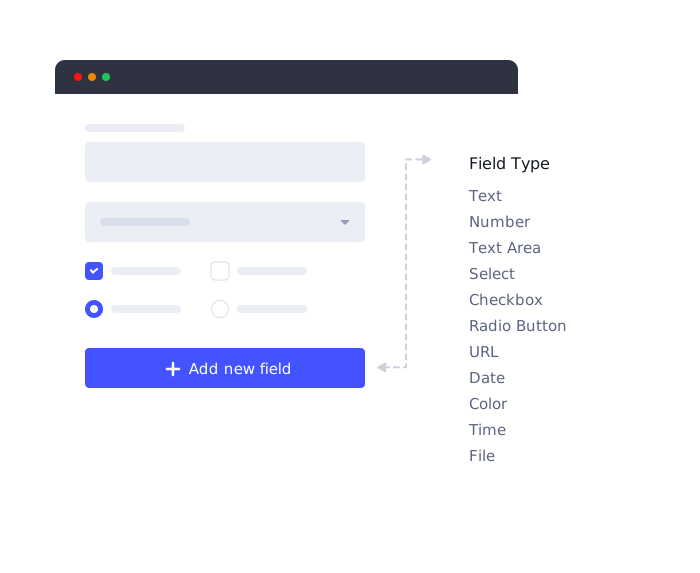
Directorist lets you add unlimited custom fields to accommodate custom requirements on the listing form also, allows you to add custom fields as search filters to get the best results.
- Create unlimited custom fields for listing form
- Create custom fields by choosing from 9 different field types
- Search using custom fields for accurate search results
Powerful Search and Advanced Filters
The Directorist advanced filter lets your users search listings based on a large number of criteria like custom fields, tags, price range, etc. along with default text
field, category, and location fields to elevate the search experience to a greater level.
- Filtering using numerous fields to yield
accurate results - Geolocation and nearby listings
- Radius search
- Add custom fields as search filters
- Search widgets with 14 different filters
- Highly customizable filters for each type

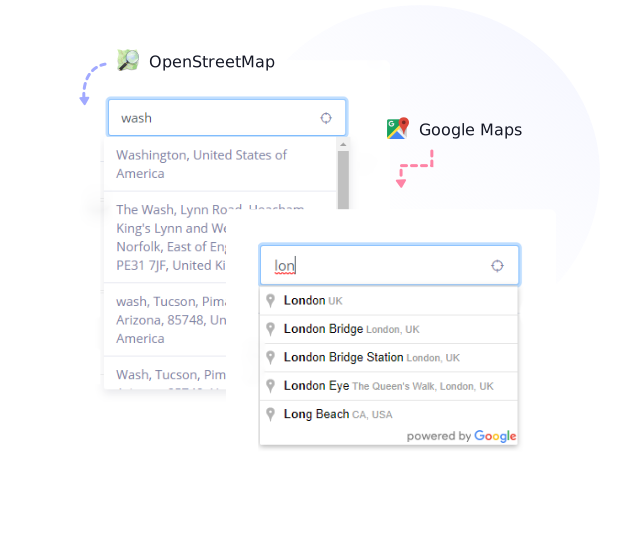
Multiple Mapping Sources
Directorist provides a flexible mapping sources offering Google Maps and OpenStreetMap to help users to find their desired services.
Use the most popular and versatile mapping platform for free with limited quota provided by Google.
A free easy-to-use mapping platform to display location and use map features without the need for Map API.
Developer-friendly
WordPress developers can extend the plugin functionalities infinitely using
available hooks and filters.
Constructed with Clean Code
We prioritize quality over quantity and the whole system is constructed with clean codes.
Action and Filter Hooks
Directorist provides a vast array of action and filter hooks so that the developers can customize the plugin according to their needs.
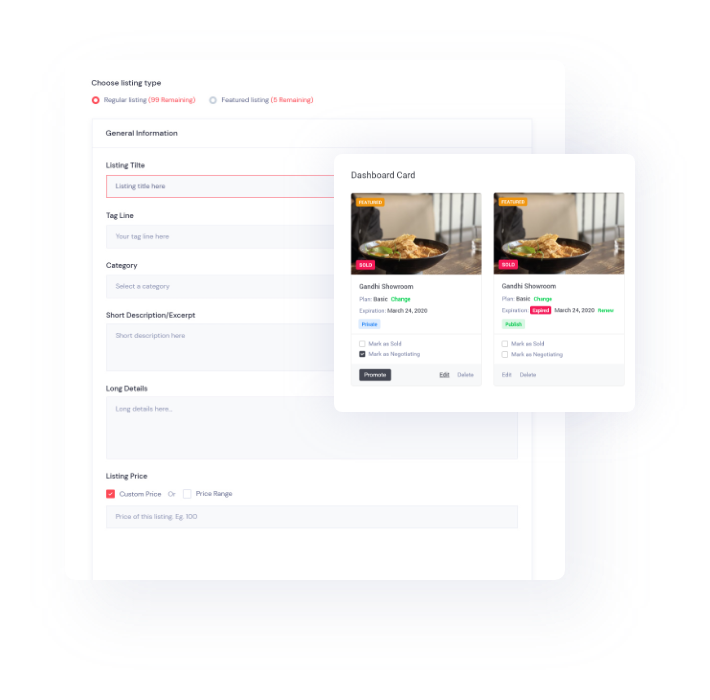
Frontend Listing Submission and Management
Directorist lets users submit and manage listings from the frontend of the site without having to log in to the admin panel. Directorist allows the admin to have full control of the site by providing a smart frontend system for users to manage their listings without accessing the admin panel.
- Add listings using the frontend listing form
- Renew/Change plan from the frontend
- Intuitive user dashboard for managing the listings
- Maintain business without accessing the admin panel
Modern, Customizable, and Trending Design
Integrate Directorist with your existing website and transform it into a personalized business directory using a wide range of resources. Directorist boasts modern-day designs with 3 types of view that includes — grid, list, and map view.
- Integrating with popular themes like
Astra, Avada, Divi etc. - Design your directory site using
25+ Elementor widgets. - Personalize using a wide range of shortcodes and
parameters.


WooCommerce Multivendor Plugin Compatibility
Compatible with popular multi-vendor plugins like
Dokan, WC Vendors, WC Marketplace, WCFM, YITH
WooCommerce Multivendor.
Easy Translation, RTL, and Built-in SEO Solution
Translate to any language effortlessly using Loco Translate, WPML, Polylang, or Poedit plugin, which provides multi-lingual benefits, and get your directory listing website optimized for SEO to engage a wider audience.
Directory listing websites created by Directorist are 100% translatable and can be translated into multiple languages.
Directorist lets you set custom meta title and description in every directory page. In addition it is compatible with popular SEO plugins like Yoast SEO, Rank Math.
Directorist is fully compatible with RTL languages like Arabic, Aramaic, Azeri etc.

Many More Features
Included

Rating & Reviews
A star based reviews & rating system is available, which the owners can approve/disapprove.

Guest Submission
Visitors can act as an author or reviewer without logging in.

Private Directory
Selected items and sections of the theme can be displayed for special
users only.
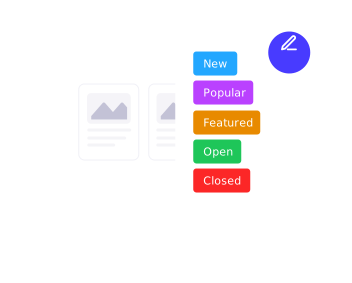
Custom Badges
Different kinds of badges are available that can be customized.

GDPR Ready
GDPR flexible for business owners.

Renew Listings
Users can renew their listings now after listings expire.

Email Notification
Custom-made emails can be generated to notify customers about different updates.
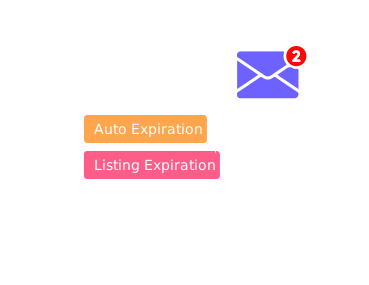
Schedule Task
Admin can fix the time frame after which submitted listings will be expired.

Save & Bookmark
The visitor can save and bookmark something, so that he may go through it later.
 Easy Setup
 Wizard
 Direction & Contact
 Invoice
 Tax Ready
 Flag & Report
 Super Responsive
 Author Public Profile
 Elementor Page Builder Widgets
 Custom user Registration and Login
 Social Media
 Share
Extended Functionality with
Premium Features

Develop Booking
System
Develop service or event-oriented booking system with scheduling functionality to hoist the possibilities of your business.
- Restaurant Reservation
- Doctor Appointments
- Service Booking
- Event Ticket Booking
- Hotel and Apartment Renting
Built-in Checkout and
Popular Gateways
The built-in checkout system includes offline and online
payment systems, where admin can offer recurring
payment option.

Earn Through Monetization
Grow your directory listing business with extra revenue using versatile monetization facilities and get paid through featuring the listings in various ways.

Paid Listings
Make money by creating various listing packages, each of which includes different benefits.

Featured Listings
Get paid by featuring each of the listings you approve on your site based on the pricing plans.

Rank Featured Listing
Generate revenue by ranking among all the featured listings and

Claim a Listing
Make money by providing an opportunity for business owners to claim their listing and then get verified.

Pay Per Submit
Earn by charging users to create a listing on your site.

Subscriptions
Generate a fixed revenue by charging business owners regularly to renew their packages using recurring payment functionality.
Listings with Map
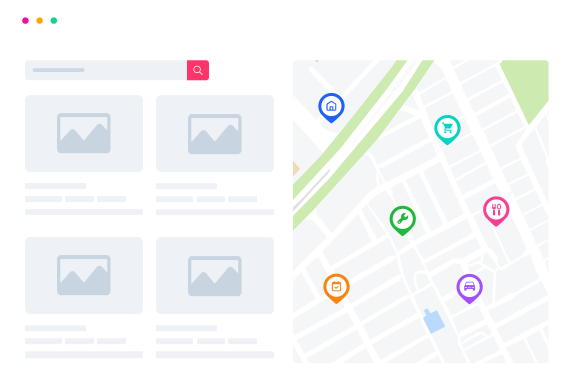
This will allow the users all the way to add their listings with new layouts, search results, categories and locations pages not only with Google Map but also with OpenStreet Map view. Needless to say, how much imperative an interactive map is and how it makes a difference when your customers want to find your product.
Private Messaging
System
Directorist comes with smart private messaging/
chatting system, that allows the visitors to contact business owners immediately and easily. It will help the business owners to skyrocket their sales and level of customer service.


Users Can Post Their Any
Kind of Need or Service
With this features user can post for any kind of thing
that he/she require such as phone, laptop, car, bike etc. or can ask for any kind of service that he/she need such
as repairing service, medical service, tutor service etc.
More Premium Features

Business Hours
You can display business hours of any type of listings using this add-on in a very appealing way.

Operational Hours
The operational hours and active status will be shown according to the time zone map.

Social login
Users can login using their google and facebook accounts.

Mark as Sold
The extension allows listing owners to mark items as “sold”.

Spam Protection
Google ReCaptcha protects your forms from spam.

Listing FAQs
It is very common that every business receives some generic questions from its customers.

Image Gallery
Displaying an image gallery for some types of business listings adds a lot of value to it and attracts more customers.

Listings Slider & Carousel
Increase the beauty of your directory website by displaying your listings in an attractive slider or carousel.

Compare Listings
Increase the beauty of your directory website by displaying your listings in an attractive slider or carousel.

Got Questions? We've Got Answers!
Have questions? We've got answers! Learn more about
Directorist,
features, and how it fits into your workflow.
Yes, monetization requires a paid plan. The free version of Directorist gives you the core directory infrastructure but payment processing and revenue features are premium. To charge for listing submissions (Pay Per Submit), create listing packages (Pricing Plans), or accept payments via Stripe or PayPal, you'll need a paid membership.
Yes, both are available in the free version. Custom fields let you add unlimited input types to your listing form — you can choose from 9 different field types and also use custom fields as search filters for more accurate results. Multi-directory lets you create entirely separate directory types on one site, each with its own form, fields, and layout, either built from scratch or imported. These are two of the most powerful core features Directorist offers for free, with no paid plan required.
In most cases, yes. Directorist is built to integrate with your existing theme rather than replace it. It's confirmed compatible with popular themes like Astra, Avada, and Divi, and works with any well-coded WordPress theme. You can also personalize the directory using 25+ Elementor widgets and a wide range of shortcodes and parameters to match your site's existing design. If you're using a niche or custom-built theme, the best approach is to try the free plugin first — since it's a zero-cost download, you can test compatibility before committing to a paid plan.
Yes, all three. Directorist includes 25+ dedicated Elementor widgets for building and customizing your directory pages visually in real time. Divi is supported both through general theme compatibility and the dedicated Directorist Divi Integration extension, which gives you native Divi 5 modules for full drag-and-drop control. Gutenberg is also supported, with blocks available for directory pages. All these integrations are designed to let you build your directory without touching code.
Directorist is built specifically for scale — the plugin is described as highly optimized with minimal memory consumption and efficient database query execution designed to handle large listing volumes. In practice, performance at scale depends more on your hosting environment (server resources, caching setup, database optimization) than on Directorist itself. On a well-configured server with a caching plugin, Directorist sites regularly run tens of thousands of listings without issue. If you're planning a very large directory — hundreds of thousands of listings — we recommend reaching out to the support team to discuss your hosting setup before you launch.
Yes, and it's a free feature. Directorist includes a CSV Bulk Importer that lets you migrate thousands of listings in just a few clicks. You can map any field types from your existing data to Directorist's listing fields, making it flexible regardless of where your data is coming from — whether it's another directory plugin, a spreadsheet, or an exported database. For importing from Google Maps or RSS feeds like Craigslist, the Directorist Listing Importer extension (available on paid plans) handles automated feed imports as well.
Yes. Multi-directory is one of Directorist's core free features. You can create as many separate directory types as you need on a single WordPress installation — for example, a restaurant directory, a job board, and a real estate listings section all running together on one site. Each directory type gets its own custom form, fields, layout, and search filters. You can build each type from scratch or import one. There's no cap on how many directory types you can create.
Yes. With the Pricing Plans extension (included in all paid memberships), you can create multiple listing packages with different benefits and price points — including a free tier. This lets you run a freemium model where basic listings are free but premium placements, featured spots, or additional fields require payment. You can also combine this with recurring subscription plans, pay-per-submit options, and featured listing upgrades — all running simultaneously so listing owners can choose the plan that fits their needs.