



8 Best WordPress Job Board Plugins for 2026 (Reviewed)
-

- Plugins Comparison
- 13 mins read
Starting your own job board website is a smart way to make money by helping companies to post jobs and find the best candidates. But to be successful, you need more than just a regular website. You need a system that makes this process easy for companies and candidates.
If your website is too hard to use, companies won’t want to pay you to list their jobs and candidates will not use the system to find their jobs. That’s why you need a high-quality WordPress job board plugin. I’ve spent a lot of time testing these tools to see which ones actually help you create a job board website.
My goal is to help you pick the best WordPress job board plugin so you can start earning money by creating a job board website without needing to be a tech expert. Whether you want a free WordPress job board plugin to get started or a powerful one with all the bells and whistles, I’ve found the best options for you. Let’s get started.
What to Look for in a Job Board Plugin for WordPress?
Before you pick the best wordpress job board plugin, you need to know what makes a job board actually work. Think of your website as a shop. If the shop is messy or the checkout is broken, people won’t buy anything. When I was testing these plugins, I looked for these 8 essential things that every successful job board owner needs:
- Easy Posting for Employers: Your customers (the people hiring) shouldn’t have to see the “back” of your website. A good plugin gives them a simple form on your site where they can post and edit their jobs. If it’s easy for them, they’ll keep coming back.
- A Great Search Tool: If a candidate can’t find a job quickly, they will leave. You need a powerful and fast search system that lets candidates filter by category, city, job type (like part-time), or even salary. It should feel fast and smooth.
- Simple Application Tracking: You want to make life easy for the employers also the plugin should let candidates apply right on your site, and give the employer a way to see all those applications in one list.
- Private Dashboards for Everyone: Both the employers and the job seekers need their own “control rooms.” Employers need a place to manage their posts, and workers need a place to see the jobs they’ve applied for.
- Ways to Make Money: This is the most important part for you! You need a plugin that makes it easy to charge people. Whether you want to charge for a single post or a “featured” spot at the top of the list, the plugin should handle the payments safely.
- Resume Profiles: A great site lets workers create their own profile and upload a resume. This creates a “library” of talent on your site, which makes your board much more valuable to employers.
- Looks Good on Phones: Most people look for jobs on their phones while they are on the go. Your job board needs to look perfect on a small screen. It should also let you change the colors and fonts to match your brand (especially if you use tools like Elementor).
- Automatic Alerts System: You want your site to do the work for you. The plugin should automatically alert candidates when a new job pops up, and notify the recruiters when someone applies. This keeps everyone engaged coming back to your site without you having to send a single manual email.
Quick Comparison: WordPress Job Board Plugins (2026)
| Plugin Name | Best Use Case | Monetization (How You Earn) | Front-end Forms? | Free Version | Pricing (The Cost) |
| Directorist | Big, growing sites | Paid listings, featured ads, and monthly subscriptions. | Yes | Yes | Pro Starts at $129/year |
| WP Job Manager | Simple, clean lists | Sell job packages using Stripe or WooCommerce. | Yes | Yes | Starts at Add-on bundle $159 / year, individual add-on available |
| WP Job Openings | Professional HR pages | Best for internal hiring (No built-in pay system). | Yes | Yes | Pro $69/year |
| WP Job Portal | High-volume firms | Use a “Credit System” or charge for featured jobs. | Yes | Yes | Starts at $49/year |
| easy.jobs | Tech-forward hiring | Sell high-end recruitment tools and AI screening. | Yes | Yes | Pro $399.96/year |
| JobBoardWP | Modern Block sites | Simple paid listings via helpful extensions. | Yes | Yes | Pro $276/year |
| JobWP | Quick & Mobile-ready | Charge for basic job posts and better visibility. | Yes | Yes | Pro $49.99/year |
| Job Manager & Career | Custom-branded pages | Sell “Urgent” badges and highlighted listings. | Yes | Yes | Starts at $49/year |
N:B: Prices are changeable. Please check the specific website to get the updated price.
Top-Rated WordPress Job Board Plugins (Individual Reviews)
1. Directorist

I spent some time testing Directorist, and it is a powerhouse. Most tools only let you build one type of list. But Directorist is different. It lets you build many different lists at once. You could have a wordpress job board plugin on one page and a list of local businesses on another. It is very flexible.
What I Liked Most: The search filters are great. They help people find exactly what they need without getting lost. It also has maps built right in. This is helpful if a worker wants to see exactly where a job is located before they apply. Also, if you want to make money, this plugin makes it easy. You can charge companies to post their jobs, and the plugin handles the payments for you.
Best Features:
- Multi-Directory Magic: You can run a job board and a local business list on the same site.
- Paid Listings: Easily charge companies a fee every time they post a new job.
- Smart Search Builder: Create your own search bars so workers can find jobs by salary or city.
- Map Integration: Shows exactly where a job is located using Google Maps.
- User Dashboard: A private page for employers to manage their posts and payments.
- Mobile Friendly: It looks great on phones and tablets right out of the box.
- Monetization: Offers different monetization features with multiple payment gateways.
- Premium Add-ons: Extend job board functionalities by 30+ premium add-ons.
Why You Should Pick It: If you want to grow a big site, this is the best wordpress job board plugin for the task. It is perfect for “niche” sites where you want to be the main expert in a specific industry. It can handle a lot of information without slowing down.
2. WP Job Manager
I really like how simple WP Job Manager is. It doesn’t have a million confusing settings to click. It offers a version of free wordpress job board plugin that keeps things light. This means it won’t make your website slow or clunky.
What I Liked Most: It uses something called “shortcodes.” Think of these like magic stickers. You just paste a small bit of text onto any page, and your job board appears right there. It’s also very easy to add new features later if you decide you need them.
Best Features:
- Easy Shortcodes: Use a tiny bit of text to put your job list on any page you want.
- Frontend Forms: Employers can post jobs without ever seeing your private admin settings.
- Google Job Schema: Automatically tells Google how to list your jobs in search results.
- Familiar Look: It feels like a normal part of WordPress, so it is very easy to learn.
- Add-on Library: You can buy extra “snap-on” features only if you decide you need them later.
Why You Should Pick It: This is a great choice if you want something that is easy to use but still works perfectly. It’s perfect for people who want a clean look without any extra fluff.
3. WP Job Openings
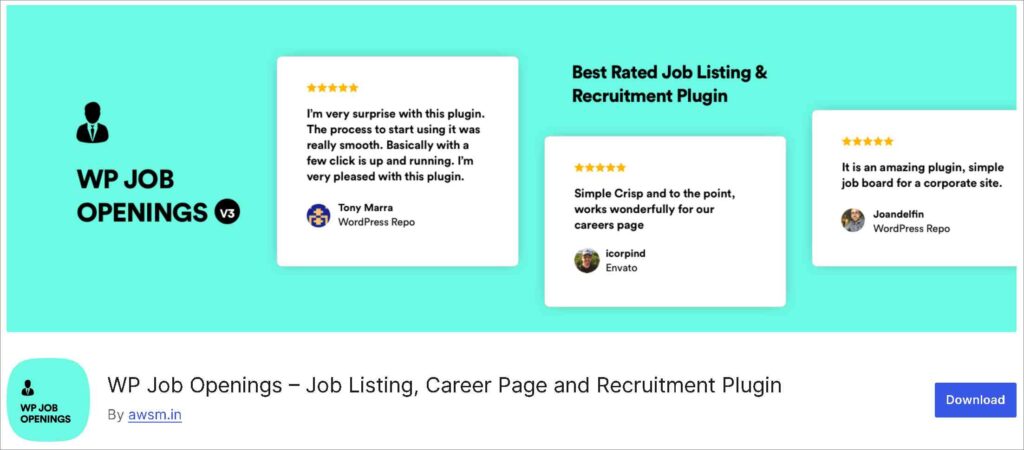
WP Job Openings is a great job board plugin for wordpress that offers a great tracking system. It feels very professional. When I tested it, I noticed how well it helps you stay organized. It keeps track of everyone who applies so you don’t lose their emails or resumes.
What I Liked Most: It helps your jobs show up on Google in a special way. You know those “job boxes” that appear at the top of a Google search? This plugin tells Google exactly how to find your jobs so they can appear in those boxes. It makes it much easier for people to find your openings.
Best Features:
- Grid and List Views: Choose two different ways to show your jobs so they match your site’s look.
- Built-in Application Form: Comes with a ready-to-use form so people can apply instantly.
- HR User Role: Create a special login for your hiring manager that only shows them job data.
- Email Templates: Write your own “thank you” emails that get sent to candidates automatically.
- AJAX Filtering: The job list updates instantly when someone searches without reloading the page.
Why You Should Pick It: Choose this one if you want to look like a big, professional company. It is very easy for people to apply, and it is even easier for you to see who is the best fit for the job.
4. WP Job Portal
WP Job Portal is a fantastic choice to give a feels like a complete hiring office. It doesn’t just list jobs; it manages the whole process from start to finish. When I tested it, I was impressed by how modern and clean the dashboard looks for both employers and job seekers.
What I Liked Most: It has a really cool “Quick Apply” feature. This lets people apply for a job with just one click, which is great because nobody likes filling out long, boring forms. It also sends automatic emails to let everyone know what is happening, so you don’t have to spend all day writing messages.
Best Features:
- Credit System: Sell “packs” of credits that companies can spend to post jobs.
- Advanced Resume Builder: Helps job seekers create a professional-looking profile on your site.
- Resume Parsing: Automatically reads uploaded files to fill out a candidate’s profile for them.
- Internal Messaging: Let employers and workers talk to each other directly on your website.
- Job Alerts: Sends an automatic email to workers when a job matches what they are looking for.
Why You Should Pick It: This is the best wordpress job board plugin for anyone who wants a “unified” experience. If you want a professional dashboard where you can see all your candidates in one place, this is the one for you.
6. easy.jobs
I was really excited to try easy.jobs because it uses AI to help you find the best workers. It’s like having a smart assistant that reads through resumes for you. It’s built to be very visual, so you can literally “see” where each candidate is in the hiring process (like “Interviewing” or “Hired”).
What I Liked Most: The “Visual Pipeline” is a game changer. You can drag and drop candidate profiles from one stage to another. It also lets you create a beautiful “Career Page” that looks like it was designed by a pro, even if you have zero design skills.
Best Features:
- Visual Pipeline: Drag and drop candidate names to show who is being interviewed or hired.
- AI Resume Screening: Uses smart tech to help rank which workers are the best fit for a job.
- Career Page Builder: Create a beautiful “Join Our Team” page using a simple drag-and-drop tool.
- Team Collaboration: Let your whole team leave notes and “star ratings” on different candidates.
- Instant Analytics: Shows you graphs of how many people are visiting your jobs every day.
Why You Should Pick It: If you are busy and want a job board plugin for wordpress that saves you time using smart technology, easy.jobs is the way to go. It makes hiring feel less like a chore and more like a simple, organized task.
6. JobBoardWP
If you use the newer version of WordPress, you’ll love JobBoardWP. It is built to work perfectly with “blocks,” which are the little squares you use to build your website pages. I found it very refreshing because it feels modern and doesn’t look like an old computer program from ten years ago.
What I Liked Most:
It is very fast. Since it is a free job board plugin wordpress users can install without worry, it doesn’t add a bunch of heavy code to your site. It also comes with a “Jobs Dashboard” for your users. This means people who post jobs can log in and manage their own listings without ever needing to ask you for help.
Best Features:
- Three Main Pages: Automatically creates your Jobs, Post Job, and Dashboard pages for you.
- Custom Job Types: Create your own tags like “Part-Time” or “Freelance” with bright colors.
- Gutenberg Blocks: Build your job board visually using the standard WordPress editor.
- Admin Approval: You can choose to check every job post yourself before it goes live.
- Email Control: Turn emails on or off and change the text to sound like your brand.
- Search by Keyword: A simple bar that lets people find jobs by typing just one word.
Why You Should Pick It:
This is the best wordpress job board plugin for anyone who wants a “set it and forget it” solution. If you want your site to stay fast and look clean on mobile phones, this is a great pick.
7. JobWP
When I tried JobWP, the first thing I noticed was how friendly the setup felt. It is designed for people who don’t want to spend all day looking at settings. It’s a straightforward wordpress job board plugin that gets the job done quickly.
What I Liked Most:
It has a very simple “shortcode” system. You just take one tiny piece of code, put it on a page, and—boom—you have a full job list. I also really liked that it sends an instant email to the boss as soon as someone applies. You won’t miss out on a great worker because you forgot to check your website.
Best Features:
- List or Grid Layouts: Switch between two clean styles with just one click.
- External Apply Links: Let companies link their job posts to their own website or LinkedIn.
- Export to CSV: Download all your applications into a spreadsheet for safe keeping.
- Featured Job Slider: Put your most important jobs in a sliding banner on your homepage.
- Anti-Spam Security: Uses “reCAPTCHA” to make sure robots don’t fill your site with fake jobs.
Why You Should Pick It:
Pick JobWP if you are a small business owner who just needs to get a “Careers” page live by lunchtime. it’s simple, it works, and it stays out of your way.
8. Job Manager & Career
Last on my list of wordpress job board plugins is Job Manager & Career. This one is great because it lets you change almost everything to match your brand. When I tested it, I loved how it makes your job page look like it belongs on your website, using your favorite colors and fonts automatically.
What I Liked Most: It has a very smart “Badge” system. If you have a job that needs to be filled right away, you can put an “Urgent” badge on it. This makes it pop out so people notice it first. It also lets you create special “Email Triggers.” This means as soon as you move a candidate to the “Shortlisted” list, the plugin can automatically send them a nice email to let them know.
Best Features:
- Custom Form Fields: Add your own questions to the application form, like “Do you have a driver’s license?”
- Special Badges: Put a bright “Urgent” or “New” sticker on jobs to make them stand out.
- File Uploads: Let workers upload their resumes as PDFs or Word documents.
- Social Sharing: Adds buttons so people can share your jobs on Facebook or Twitter.
- Undo Button: If you make a mistake in the settings, you can reset everything with one click.
Why You Should Pick It: This is the best wordpress job board plugin for people who want to stay organized without doing all the work themselves. If you want a tool that highlights your most important jobs and talks to your candidates for you, this is a solid choice.
Which WordPress Job Board Plugin Should You Pick?
After testing all these wordpress job board plugins, I have some great news: you really can’t go wrong with any of them. Whether you choose the lightweight feel of WP Job Manager, the smart AI features of easy.jobs, or the professional look of WP Job Openings, each one of these is a fantastic choice to help you start hiring today. They all make the “tech side” of building a job board much simpler than it used to be.
However, if you want a tool that can truly grow with your dreams, Directorist stands out from the crowd.
What makes it so special is that it takes the best “superpowers” from all the other plugins and puts them into one single tool. When you use Directorist, you get all the features we just talked about:
- You get the easy frontend forms and shortcodes that make WP Job Manager so simple.
- You get the professional dashboards, email controls, and ready-to-use pages found in JobBoardWP.
- You get the smart search builder, paid listings, and job alerts that WP Job Portal uses to keep people coming back.
- You get the Google Job Schema and AJAX filtering that WP Job Openings uses to make your site feel fast and look great on search engines.
But the real “secret sauce” is the Multi-Directory option. Most plugins only let you build a job board. With Directorist, you can start with jobs today, but tomorrow you can add a directory for local restaurants, a real estate list, or even a city guide. You can grow your entire business in any direction you want using just this one plugin.
My Final Advice: If you want a simple wordpress job board plugin for just a specific task, any plugin on this list will work perfectly. But if you want a platform that gives you more features we’ve talked about—plus the room to build other types of directories later—Directorist is the smartest pick for your future.
Now that you have the right tools, it’s time to start building your own job board. Which plugin are you going to try first?
Related Article:
5 Best Job Board WordPress Themes You Must Check Before Creating A Job Portal

Rezaul Karim
Rezaul Karim is a Digital Marketer and Technical Writer dedicated to scaling online businesses. With 6+ years of experience in SEO-driven content and WordPress plugin architecture, he provides data-backed insights on building high-authority marketplaces. From optimizing search visibility to streamlining directory user experiences, Rezaul focuses on practical solutions that drive impressions and conversions. When he isn’t auditing site performance or exploring the latest AI-integrated marketing tools, he is an avid reader and advocate for sustainable digital growth.


Leave a Reply
You must be logged in to post a comment.