



Table of Contents
- 1 What is the Directorist mobile app, and how does it work?
- 2 v1 vs v2: What's actually different
- 3 Thinking about getting the app?
- 4 Already have v1? Here are your options
- 5 Get the app — current offer
- 6 Frequently Asked Questions
- 6.1 Is the app included in the Lifetime Deal?
- 6.2 Is the app white-label?
- 6.3 What does white-label mean?
- 6.4 How do I put my logo in the app?
- 6.5 Can I see what my app will look like before I buy?
- 6.6 How do I connect the app to my WordPress site?
- 6.7 Can I manage my pricing plans from the app?
- 6.8 How do I change skins or design layouts?
- 6.9 Can I see examples of live directories using the app?
Introducing Directorist Mobile App 2.0 – Everything You Need to Know
-

- Product Updates
- 6 mins read
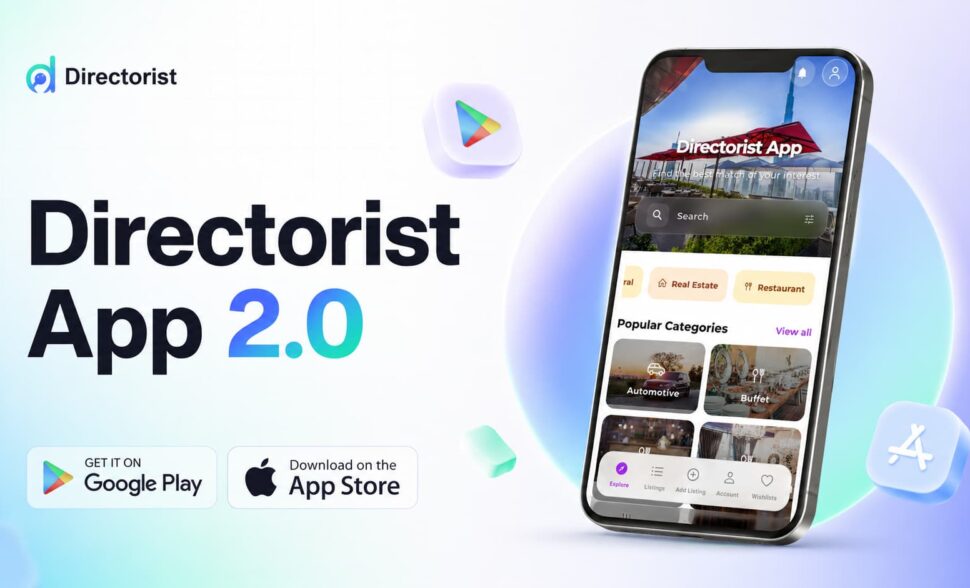
Version 2 of the Directorist mobile app is out. It’s a meaningful step forward from where v1 left off — more design control, more configuration options, and a smoother experience for the people using your directory on their phones.
If you’ve had the app since v1, this explains what’s changed and what your options are. If you’ve been considering it but haven’t committed yet, this is a good time to take another look.
What is the Directorist mobile app, and how does it work?
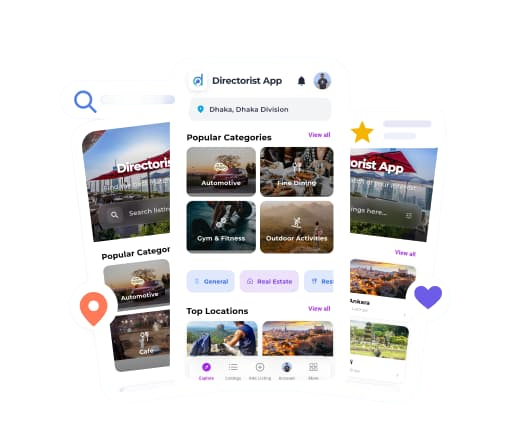
The Directorist mobile app is a native mobile app for your directory — available on both Android and iOS — that connects directly to the WordPress directory you’ve already built with Directorist.
Everything in your directory — your listings, categories, locations, and pages — syncs to the app automatically through your site’s API. You don’t manage a second system or maintain duplicate content. What you set up in WordPress appears in the app.
WordPress remains your control center. That won’t change. The app is where your users browse, discover, and interact with your directory from their phones. Configuration and management stay in WordPress.
This is a white-label directory app. That means it’s custom-built under your brand. Your logo, your colors, your name — the app looks like it came from you. The Directorist app you can browse in the App Store or Google Play is a public demo. When we build your app, it starts with your brand from day one. Your users will never see the Directorist-branded version.
Our team handles the development, testing, and submission to both stores. All you need is a developer account on each platform so the app is yours to own. We do the rest.
v1 vs v2: What’s actually different
We’ll be direct about v1: it proved the concept, and customers used it. But it was limited. You couldn’t do much with the design, there weren’t configuration options worth mentioning, and several things that should have been manageable from the app still required going into WordPress. It was a starting point.
V2 is a different WordPress directory mobile app in terms of what you can actually do with it.
What v1 had
- Native app for iOS and Android, connected to your WordPress directory via API
- Your listings, categories, and branding carried through automatically
- Map view and basic listing browsing
- White-label build submitted to both stores by our team
What v2 adds
- Multiple home screen layouts — switch between design options from the app’s settings panel, no code required
- Centralized control panel — manage how listings display, what data appears on listing pages, and what menus your users see, all from one place
- Step-by-step listing wizard — listing owners submit their business through a guided flow instead of a single long form, which works much better on a small screen
- Business hours on listings — listing owners can set and display their opening hours directly from the app
- Map view with auto-focusing pins — when users swipe through listing cards, the map moves to highlight that listing’s pin automatically
- Custom icons — choose custom icons for your directory from the searchable icon library inside the app
- Logo upload — add your brand logo directly from the app settings
- In-app purchases (iOS) restored — fully working again, with order lists refreshing automatically after login
- Splash screen hang fixed — resolved a loading issue some users reported on launch
At a glance
| v1 | v2 | |
| Native iOS + Android app | Yes | Yes |
| White-label, custom-built | Yes | Yes |
| Syncs with WordPress via API | Yes | Yes |
| Home screen design layouts | No | Yes — multiple options |
| Centralized control panel | No | Yes |
| Step-by-step listing wizard | No | Yes |
| Business hours on listings | No | Yes |
| Custom icons | No | Yes |
| Map with auto-focusing pins | No | Yes |
| In-app purchases (iOS) | Limited | Fully working |
Thinking about getting the app?
If you’ve been running your directory without a mobile app, here’s the honest case for why it’s worth considering.
A website that works on mobile is not the same as an app that lives on someone’s phone. When someone installs your app, it’s on their device. They don’t have to remember your URL or go looking for you. You’re already there, and that presence changes how people interact with your platform over time.
With v2, you get a real product — not just a checkbox. You can change how the app looks without touching code. You can configure what your users see from a central panel. And listing owners get a submission experience that actually works on a phone.
Already have v1? Here are your options
You have two choices.
You can renew your v1 app and keep using it as-is. It will continue working.
Or you can move to v2. We’ll custom-build the new version for you and replace the app in both stores. Your users will get the updated version, and from that point you have access to everything v2 brings — the design layouts, the settings panel, business hours, the improved listing flow, and more. If your needs change or you want to update how the app looks, you’ll have real options. V1 doesn’t give you that.
Once your v2 app is delivered, documentation for managing and configuring it is available here →.
Get the app — current offer
iOS + Android: $299/year (regular price $499)
Setup and App Store submission are included — no separate build fee, no per-submission charge. Our team builds the app, tests it, and gets it live on both stores as part of the price.
Bundle — 1-site annual plan + app: $359/year
If you’re also looking at a Directorist site plan, this covers both. It’s 40% off compared to purchasing them separately.
This is a launch offer and won’t stay at this price once the window closes.
Get the Directorist Mobile App →
Frequently Asked Questions
Is the app included in the Lifetime Deal?
No. The mobile app is a separate product and is not part of the LTD.
Is the app white-label?
Yes. Your app carries your logo, your colors, and your brand name. Nothing in the app references Directorist.
What does white-label mean?
It means we build the app for you, but it looks like it came from your team. Your users download an app under your brand, with your design. They won’t see the Directorist name anywhere.
How do I put my logo in the app?
You don’t need to swap anything. The Directorist app in the Play Store & App Store is a public demo. When we build your app, it uses your logo from the start. Your users only ever see your branded version.
Can I see what my app will look like before I buy?
Because every app is built specifically for your directory and brand, we can’t show it to you before the order. What you can do is download and explore the Directorist demo app from Google Play Store or App Store, apply your changes, and get a feel for how things work. The structure and features will be the same.
How do I connect the app to my WordPress site?
After purchase, an App option becomes available inside your WordPress dashboard. You connect your directory from there, and we guide you through the process.
Can I manage my pricing plans from the app?
Your users can view and purchase listing plans from within the app. But plan setup — what plans exist, what they include, what they cost — stays in WordPress. The app is where your users interact with plans, not where you configure them.
How do I change skins or design layouts?
The home screen layouts are configurable from the app’s settings panel. See the full documentation here →.
Can I see examples of live directories using the app?
Yes. Visit our showcase page → to see real directories built with Directorist, including some using the mobile app.
Have a question not answered here? Reach out before you purchase — we’ll help you decide whether the app is the right fit for your directory.

Rezaul Karim
Rezaul Karim is a Digital Marketer and Technical Writer dedicated to scaling online businesses. With 6+ years of experience in SEO-driven content and WordPress plugin architecture, he provides data-backed insights on building high-authority marketplaces. From optimizing search visibility to streamlining directory user experiences, Rezaul focuses on practical solutions that drive impressions and conversions. When he isn’t auditing site performance or exploring the latest AI-integrated marketing tools, he is an avid reader and advocate for sustainable digital growth.

Leave a Reply
You must be logged in to post a comment.