


Table of Contents
- 1 Does any WordPress directory plugin have push notifications?
- 2 What is Directorist Notifications Pro?
- 3 Which directory events can trigger a notification?
- 4 How do admins and listing owners turn notifications on?
- 5 How do you know if a notification actually got delivered?
- 6 What do you need to run it?
- 7 Who should turn this on first?
- 8 Get started
- 9 Frequently asked questions
- 9.1 Does the Directorist have push notifications?
- 9.2 Do I need a OneSignal, PushEngage, or PushAlert account to use it?
- 9.3 Does it replace Directorist's existing email notifications?
- 9.4 Can listing owners turn browser notifications off?
- 9.5 Which browsers support Directorist Notifications Pro?
- 9.6 How do I check if a notification was actually delivered?
Directorist Notifications Pro: The Push Notification Feature You Have Been Asking For
-

- Extensions
- 5 mins read
A listing owner submits a premium listing and pays for it right away. The confirmation email lands in a promotions tab nobody checks until the next morning. By the time anyone notices, a full day has passed on what should have been a same-minute approval. Multiply that by every order, every review, every listing about to expire, and email starts to feel like the wrong tool for anything time-sensitive.
Does any WordPress directory plugin have push notifications?
Natively none of the WordPress directory plugins have push notifications built-in inside their core or as an add-on, as far as we could verify. Some plugin’s notification tools are built around saved search alerts and on-page widgets, both delivered by email or shown inside the dashboard, similar to what our Search Alert extension does. It doesn’t push notifications to the browser.
One of the plugins has a similar search-alerts extension, and its own support community has a thread of users asking for push notifications as a feature. As far as we studied, that feature hasn’t shipped yet. All the other WordPress directory plugins lack a push notification add-on completely.
Directorist Notifications Pro is built to answer that gap directly.
What is Directorist Notifications Pro?
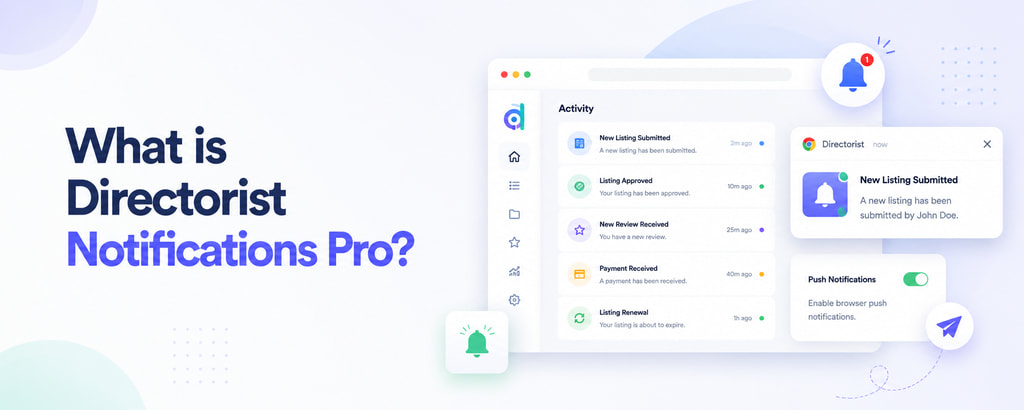
Directorist Notifications Pro is a new extension that adds browser push notifications to your Directorist site. Admins and listing owners see important updates the moment they happen, right in their browser, without waiting on an email to surface.
How is this different from OneSignal, PushEngage, or Webpushr?
General-purpose push tools like OneSignal (100,000+ active WordPress installs, per its own listing), PushEngage, and Webpushr are solid at what they’re built for: marketing blasts, abandoned cart nudges, new-post alerts. They’re generic tools, though, meaning you wire your own events to their triggers, manage a separate account, and pay based on subscriber volume or notification count.
Directorist Notifications Pro isn’t a marketing tool wearing a directory hat. The most important technical difference is that it doesn’t route through any third-party service at all. It generates its own push credentials on your server and sends notifications directly to each browser’s own push infrastructure. No OneSignal or PushEngage account, no API key to configure, no separate vendor dashboard.
Which directory events can trigger a notification?
Rather than a handful of generic triggers, Directorist Notifications Pro ships with support for the events that actually happen on a working directory: new listing submissions, approvals, edits, and deletions, orders and payments, listing renewals, listings nearing expiration, renewal reminders, contact form messages, and new reviews.
Admins and listing owners are notified separately, and you choose which events go to which group. A listing owner gets pinged when their own listing is approved or reviewed. An admin gets pinged when a new listing needs approval or a payment comes in. Renewal-related alerts go only to the listing owner, since they’re the one who needs to act on it.
This runs independently of your existing Directorist email notifications, not instead of them. Keep payment confirmations on email for your records while adding an instant browser alert for the same event, or turn off browser notifications for lower-urgency events like listing edits and keep only email there.
Click-through matters as much as delivery. A notification takes the reader straight to the listing, order, or review that triggered it, not the homepage, so an admin who gets pinged about a new submission can review and publish it in one click.
How do admins and listing owners turn notifications on?
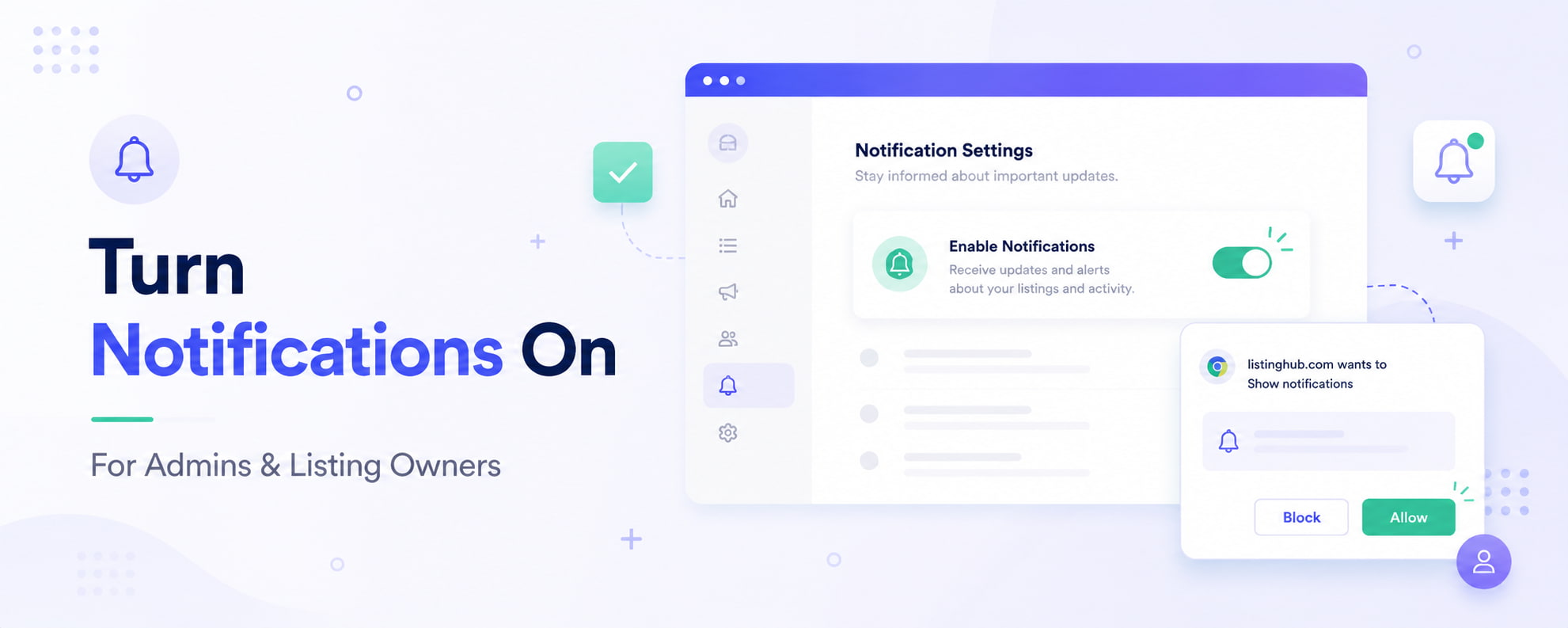
For admins, a control sits directly inside the plugin’s own settings screen. Clicking “Enable notifications” asks the browser for permission and subscribes that specific browser to admin alerts. It needs repeating on every browser or device an admin wants alerts on, permission doesn’t carry over between browsers.
For listing owners, a popup appears automatically after login asking “Enable listing notifications?” Clicking Allow subscribes them as soon as the browser confirms permission. Dismissing it breaks nothing, the popup won’t reappear on that browser, and they can still turn notifications on later from Dashboard → Preferences.
Both flows depend on an actual browser permission grant. Nobody gets subscribed silently.
How do you know if a notification actually got delivered?
Every delivery attempt can be logged: the event, the recipient, whether it was sent, skipped, or failed, and why. If a listing owner says they never got an alert, the log usually has the answer, most commonly that they simply hadn’t granted browser permission in the browser being tested. That one detail turns a “the plugin isn’t working” support ticket into a two-minute check.
What do you need to run it?
Directorist Notifications Pro requires a Directorist core and a live site running on HTTPS (localhost is fine for local development). It works in Chrome and Edge on desktop and Android, Firefox on desktop, Safari on macOS, and as a Home Screen web app on iOS/iPadOS 16.4 and later. Ordinary Safari tabs on iPhone and iPad aren’t supported, an Apple platform limitation, not something specific to this plugin.
Who should turn this on first?
This extension earns its keep fastest on directories that already have real activity: active listing owners, paid listings, and orders coming in regularly. If most of what you’re already emailing people about is new orders, payments, and listing approvals, this puts those same alerts in front of the right person the moment they happen, instead of waiting for the next inbox check. A brand-new directory with little traffic won’t see much benefit yet, simply because there’s not much happening to get notified about.
Get started
Directorist Notifications Pro is $29/year for a single site. If you already own a Directorist bundle plan, it’s included, there’s nothing extra to buy or activate separately. If you don’t have a bundle and just want this extension on its own, you can buy it directly from its landing page.
Get Directorist Notifications Pro →
Frequently asked questions
Does the Directorist have push notifications?
Yes. Directorist Notifications Pro is an extension that adds native browser push notifications for admins and listing owners, covering events like new listings, orders, payments, approvals, renewals, reviews, and contact messages.
Do I need a OneSignal, PushEngage, or PushAlert account to use it?
No. Notifications are generated and sent using your own site’s credentials. There’s no third-party account, API key, or separate vendor dashboard involved.
Does it replace Directorist’s existing email notifications?
No. Web Push and Email are controlled independently per event, so you can keep both running, use one and not the other, or mix them by event.
Can listing owners turn browser notifications off?
Yes. They can dismiss the initial opt-in popup, or turn notifications on or off at any time from Dashboard → Preferences in their own browser.
Which browsers support Directorist Notifications Pro?
Chrome and Edge on desktop and Android, Firefox on desktop, Safari on macOS, and iOS/iPadOS 16.4+ Home Screen web apps. Regular Safari tabs on iPhone and iPad aren’t supported, that’s a platform limitation from Apple, not the plugin.
How do I check if a notification was actually delivered?
Turn on the built-in Notification Log in Settings → Notifications → Channels. It records the event, recipient, delivery status, and failure reason for every attempt, so you can see exactly what happened instead of guessing.

Rezaul Karim
Rezaul Karim is a Digital Marketer and Content Strategist at wpWax, the team behind Directorist — trusted by 20,000+ directory websites worldwide. With 6+ years of experience in SEO-driven content and WordPress plugin marketing, he provides data-backed insights on building high-authority directory businesses. From optimizing search visibility to streamlining directory user experiences, Rezaul focuses on practical solutions that drive impressions and conversions. When he isn't auditing site performance or exploring the latest AI-integrated marketing tools, he is an avid reader and advocate for sustainable digital growth.


Leave a Reply
You must be logged in to post a comment.