

Directorist Notifications Pro New
Get instant browser push notifications for every important event on your directory website - new listings, orders, payments, reviews, and more. No OneSignal. No PushAlert. No third-party push service. Just native Web Push, built directly into Directorist. Keep admins and listing owners in the loop the moment something happens, so approvals don't sit for days, payments don't go unnoticed, and renewals don't slip through the cracks.
SAVE BIG by Unlocking All Premium Themes & Extensions

Product Overview
Every day, something important happens in your directory and nobody finds out until it's too late - a listing sits pending, a payment goes unnoticed, a contact message waits in a queue. Small delays that quietly cost you trust and renewals. Directorist Notifications Pro fixes that. It adds real-time browser push notifications to your directory, alerting admins and listing owners the instant a listing is submitted, approved, edited, paid for, reviewed, or about to expire - right in the browser, no dashboard login required. It runs entirely on native Web Push, using your own website and browser infrastructure. No third-party push service, no external API keys, no per-notification billing - just a faster channel that works alongside your existing email notifications.
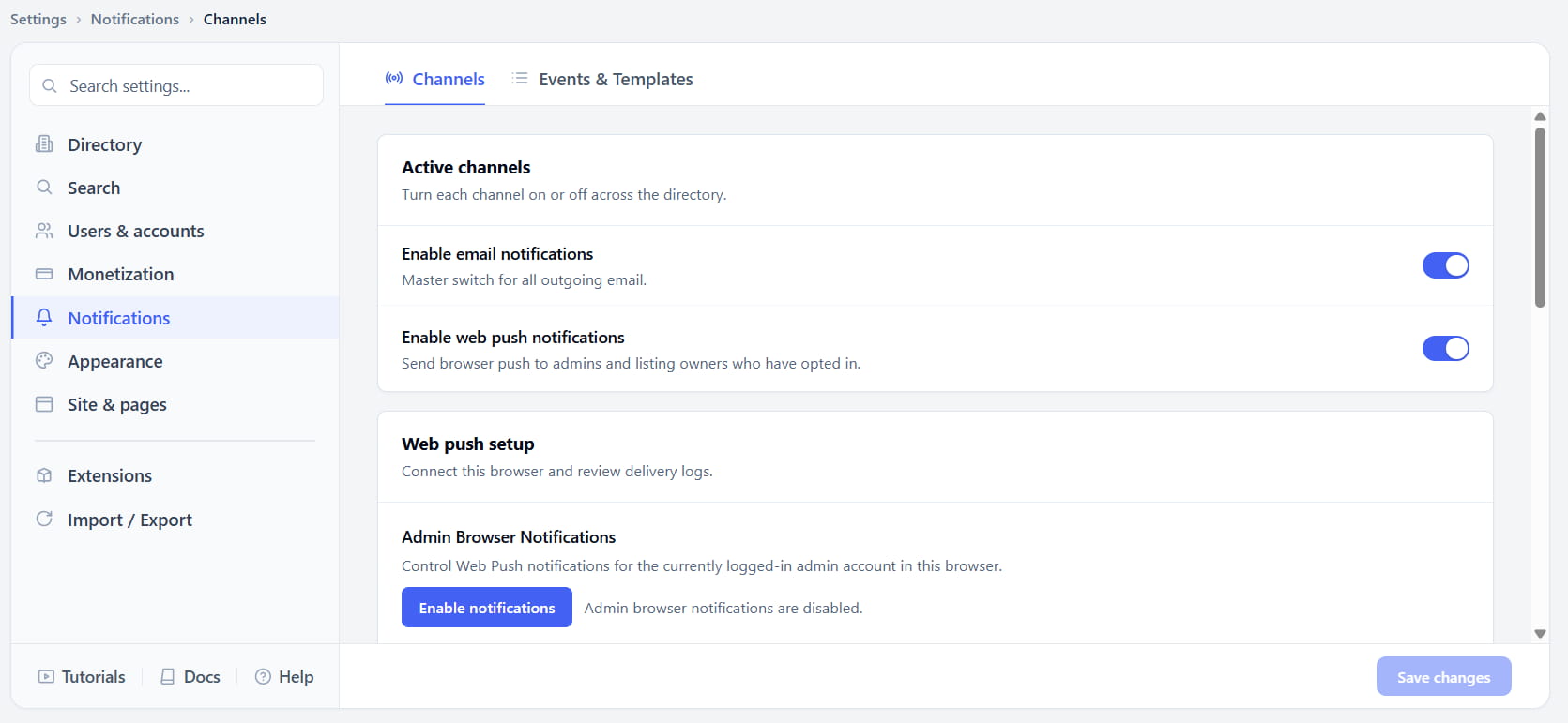
Turn On Web Push in Two Clicks
Most directory owners already have email notifications running, but email is slow - it sits in an inbox, gets buried, or lands in spam. Web Push needs to work differently: instant, visible, and impossible to miss.
Notifications Pro adds a dedicated Channels tab under Notification settings, with a master toggle for web push right alongside your existing email toggle. Turn it on once, and every event you've enabled starts sending browser alerts to admins and opted-in listing owners immediately.
Listing Owners Opt In With One Click
Every directory owner wants their listing owners to stay informed, but forcing extra steps during signup kills conversions. The trick is to ask at the right moment - not before, not buried in settings.
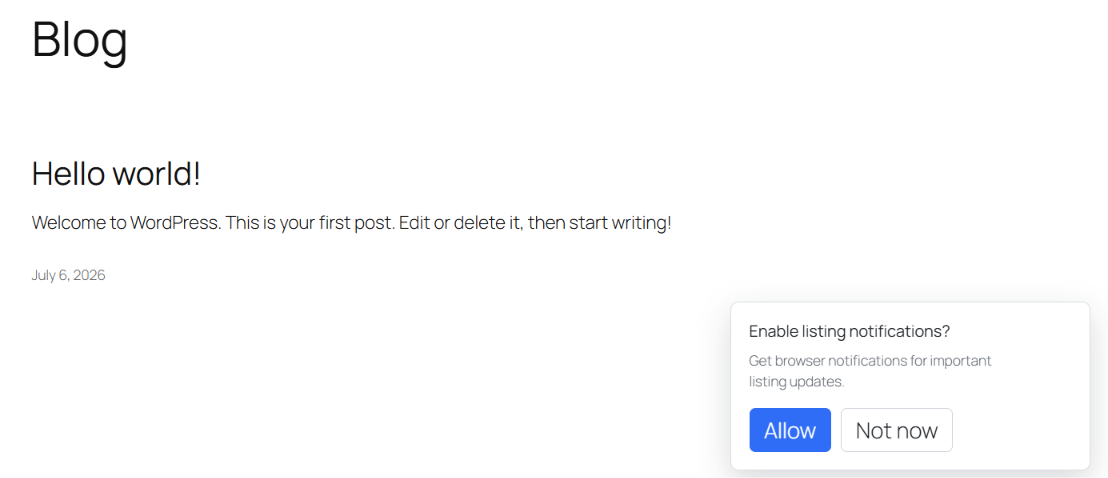
After a listing owner logs in, a friendly popup appears on the frontend asking if they'd like to enable browser notifications. One click on Allow and they're subscribed - no digging through menus required. If they click Not now, nothing breaks; they can always turn notifications on later from Dashboard → Preferences.
Full Control Over Every Event
Not every directory wants to notify people about everything. A photography directory might care about new submissions and reviews, but not order details. A marketplace-style directory might care deeply about payments and renewals.
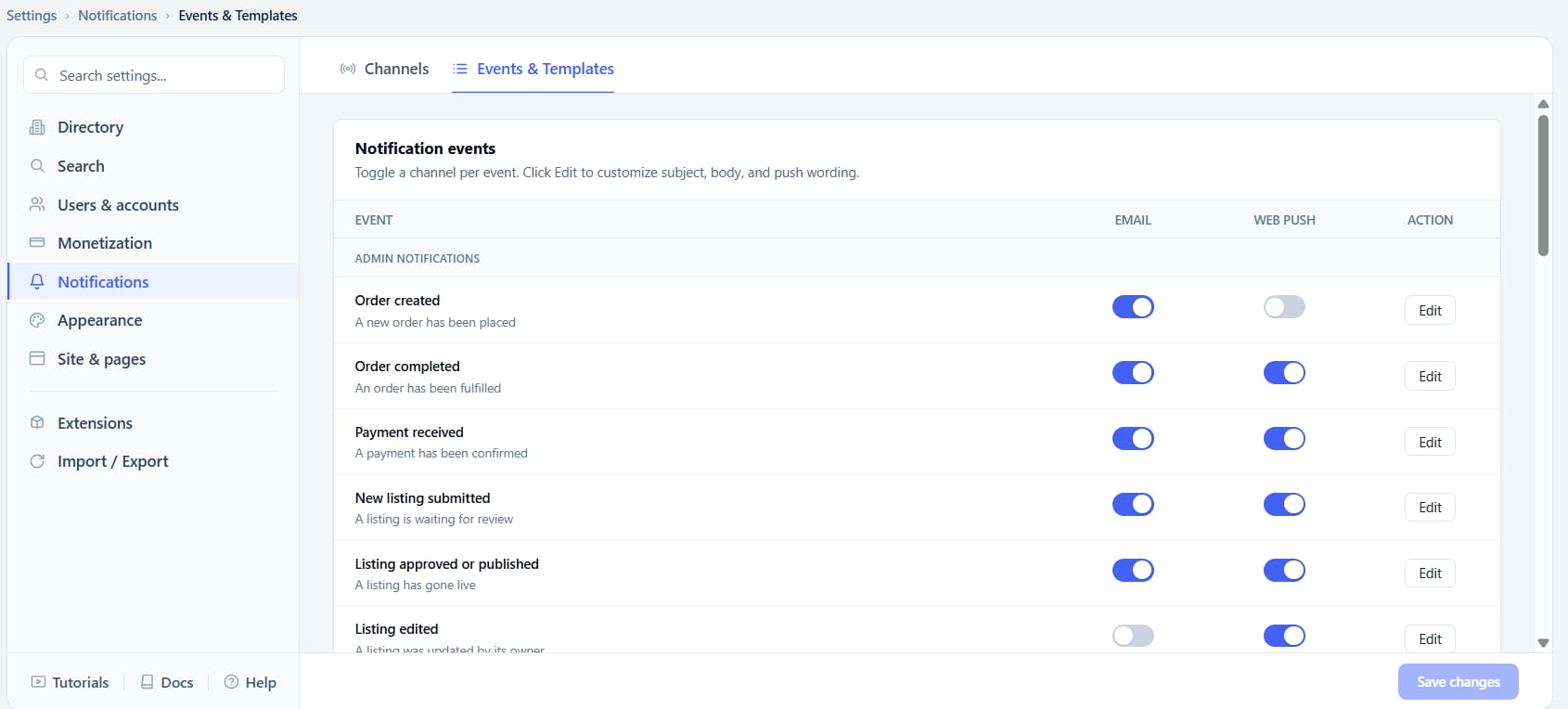
The Events & Templates tab lists every supported event in a table, split into Admin Notifications and Listing Owner Notifications, with independent Email and Web Push toggles for each one. Flip web push on for "Payment Received" and off for "Listing Edited" - whatever combination fits how your directory actually runs.
Write Your Own Notification Text
Generic notifications feel like they came from a plugin, not your brand. Directory owners want their own voice in every message their users see.
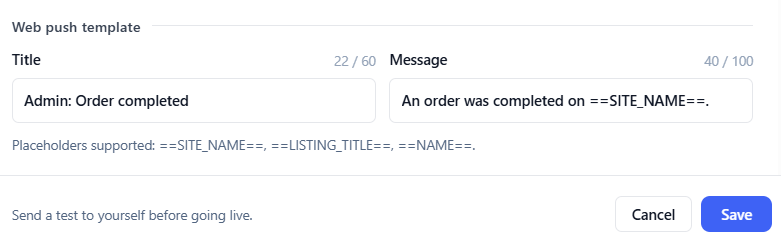
Click Edit on any event and you'll find a dedicated Web Push Template section alongside the email template - with its own Title and Message fields. Use simple placeholders like ==LISTING_TITLE== and ==SITE_NAME== to personalize the text automatically, then send yourself a test notification before it ever reaches a real user.
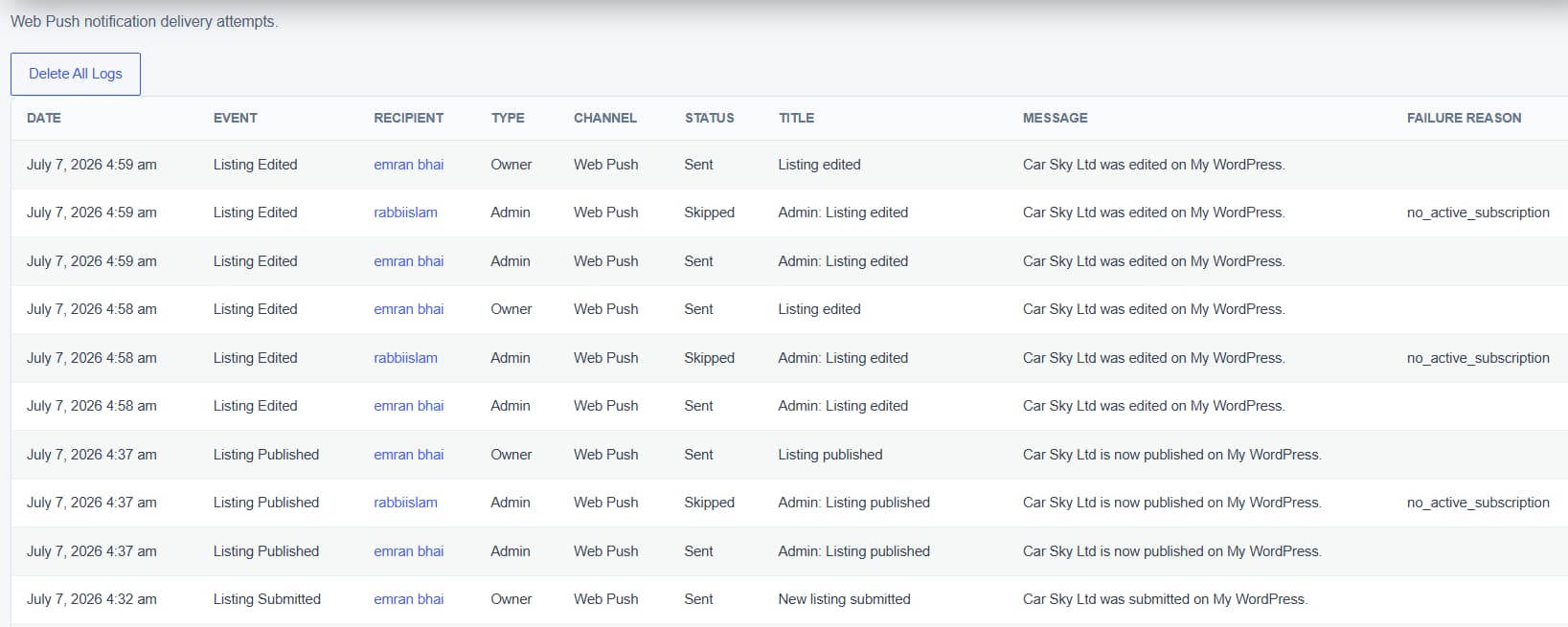
Know Exactly What Was Delivered
Push notifications can silently fail - a browser subscription expires, a user blocks permissions, a device goes offline - and without visibility, you'd never know a message didn't land.
Enable the Notification Log from the Channels tab, and every web push delivery attempt gets recorded: event, recipient, delivery status, the message that was sent, and the failure reason if it didn't go through. Clear the whole log anytime with one click.
Key Features
- Native Web Push - no third-party service required
- Admin and Listing Owner notification channels
- Per-event toggles for Email and Web Push
- Frontend opt-in popup for listing owners
- Preferences panel for users to manage their own subscription
- Customizable notification titles and messages
- Placeholder support (listing title, site name, user name)
- Send-test-notification before going live
- Notification Log with delivery status and failure reasons
- Delete-all-logs option
- Works across Chrome, Edge, Firefox, Safari, and iOS Home Screen web apps
Key Benefits
- Admins never miss a new listing, order, or payment
- Listing owners stay updated without checking email
- Faster approvals and faster response to contact messages
- Fewer expired listings thanks to renewal reminders
- Full control over which events actually notify people
- On-brand messaging with fully customizable templates
- Confidence that notifications are actually being delivered
- No added cost or setup for a third-party push provider
- Works quietly alongside your existing email system
Frequently Asked Questions
No. Notifications Pro uses native Web Push technology built directly into the browser. There's no external account, API key, or per-notification fee involved.
Nothing is lost - the popup simply won't reappear. They can enable browser notifications anytime from Dashboard → Preferences.
Yes. The Events & Templates tab has independent toggles for Email and Web Push on every event, so you can mix and match per event.
Yes. Enable the Notification Log to see every delivery attempt, its status (sent, skipped, or failed), and the reason for any failure.
Web Push requires HTTPS on live websites. Localhost is supported for development, but any public site needs a valid SSL certificate for notifications to work.
No. Web Push requires the user to be logged in with an active subscription, and OS-level settings like Do Not Disturb or Focus mode will suppress notifications just like any other browser alert.
Yes, on Chrome and Edge for Android. On iOS/iPadOS, Web Push is supported for Home Screen web apps on 16.4 or later - it behaves slightly differently than a standard browser tab.