 Up to 35% Off!

Directorist Divi Integration New
Turn your directory into a native Divi module and build visually the way you want. The Directorist Divi Integration works with Divi 5, giving you full visual control over every part of your directory - listing archive, search, categories, locations, single listing, and author profile pages. All sit inside the Divi Builder - positioned, styled, and configured the same way you design the rest of your site. Spacing, fonts, colors, column layouts, and responsive behavior all come from Divi's design controls. Each listing field is its own module, so you decide exactly what appears on a card or detail page and in what order.
SAVE BIG by Unlocking All Premium Themes & Extensions

Product Overview
The integration is built for Divi 5, the latest version of Divi. So there is nothing to migrate and nothing to worry about down the road. If you are already on Divi 5 or planning to move to it, this integration works out of the box. You get the full benefit of Divi 5's updated builder experience applied to your directory, with no compatibility issues between versions. To get started with this extension, you’ll require the Divi Builder or the Divi theme installed inside your WordPress.
Built for Design Freedom
Control Every Element of Your Directory Visually
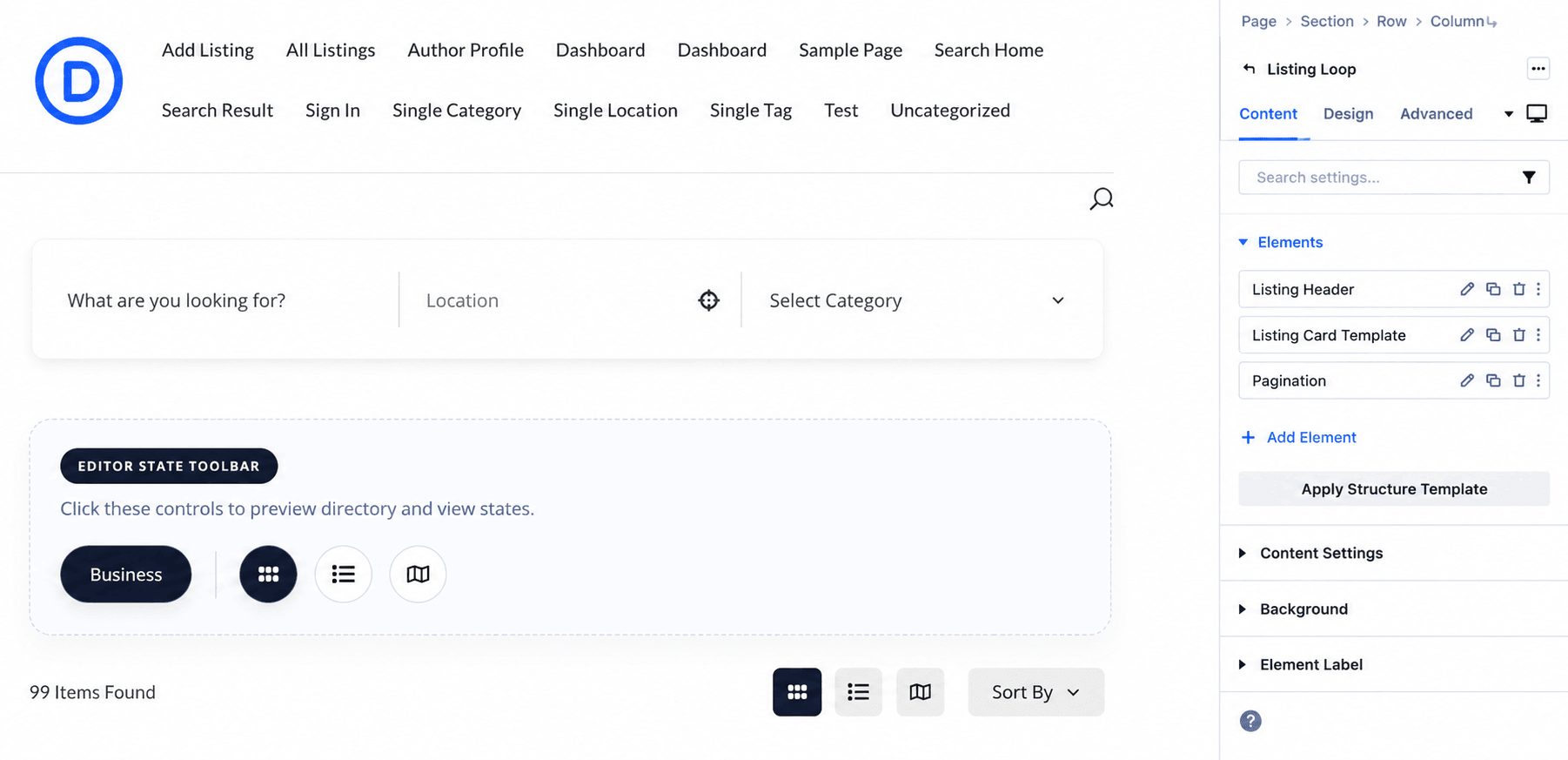
Go further into directory building with Divi integration. Each part of your directory, the search form, the listing results, the sort controls, the category grid, the filter sidebar, all are in its own Divi module. You position them where you want, set spacing and typography through Divi's design panel, and adjust the layout for desktop, tablet, and mobile separately. If you can design it in Divi, you can design your directory in Divi.
Single Listing Design
Drag the Fields You Need, Place Them Where You Want
Every piece of information on a listing detail page is a separate Divi module. You open the module panel, drag in only the fields that matter for your directory, and arrange them using Divi's rows and columns. A hotel listing might have the image slider spanning the full width at the top, price and star rating side by side beneath it, a map and contact details in a two-column layout further down, and booking information in a dedicated section at the bottom. A job listing might lead with the title, salary, and job type, then show the description, application deadline, and application form, nothing else. You are not working around a fixed template. You are building the layout field by field, the same way you build any other page in Divi.
Listing Card Templates
Decide Exactly What Each Listing Shows
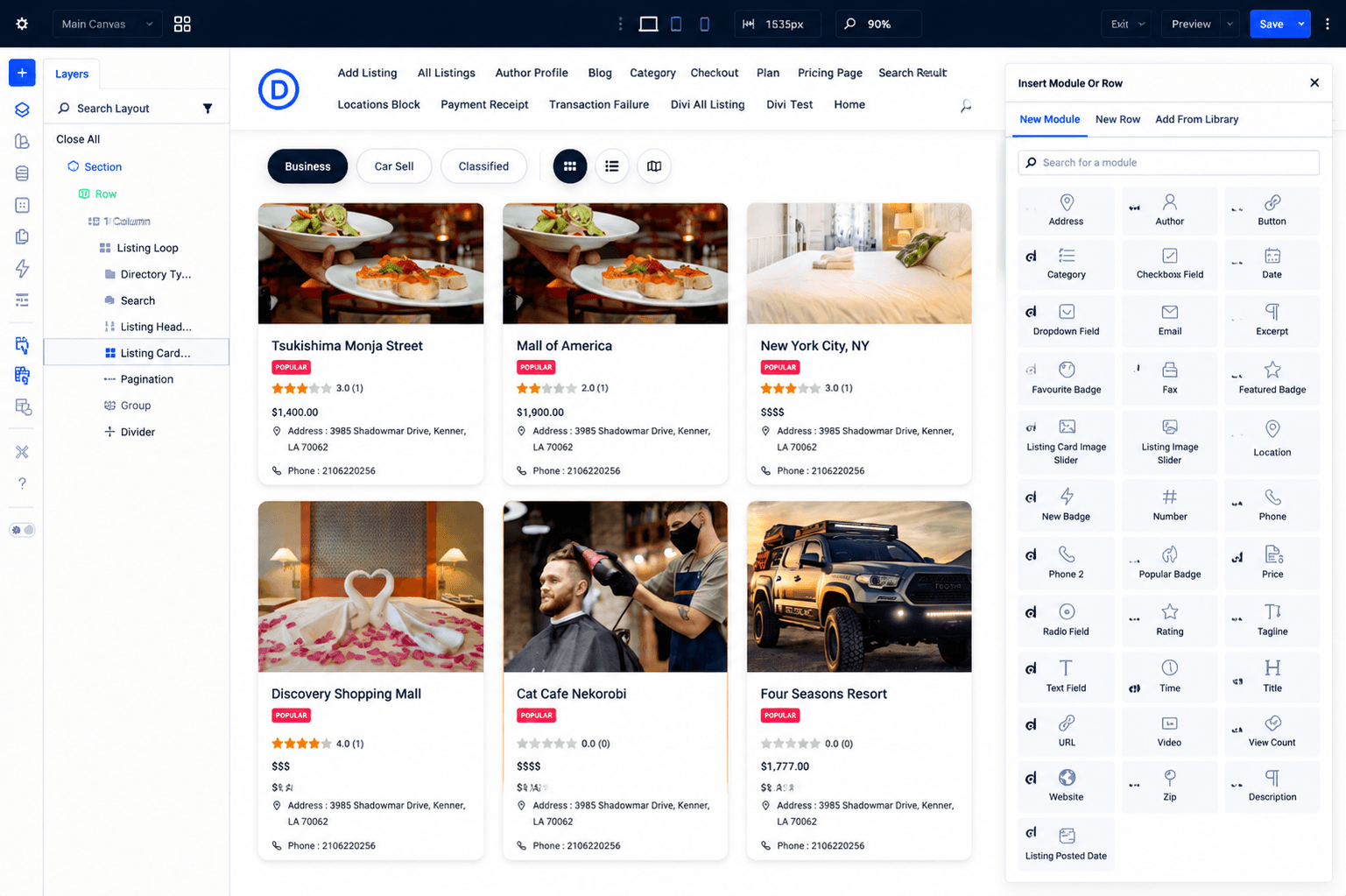
The listing card is the most repeated element on your archive page. It appears once for every result in the grid or list, so how it looks has more impact than almost anything else on the page. The Listing Card Template module gives you field-by-field control over that card. You choose which fields appear and arrange them however you want. Each directory type, category and even specific listing gets its own card design, built visually, without touching a template file.
Directorist-Specific Modules
Built for How Directories Actually Work
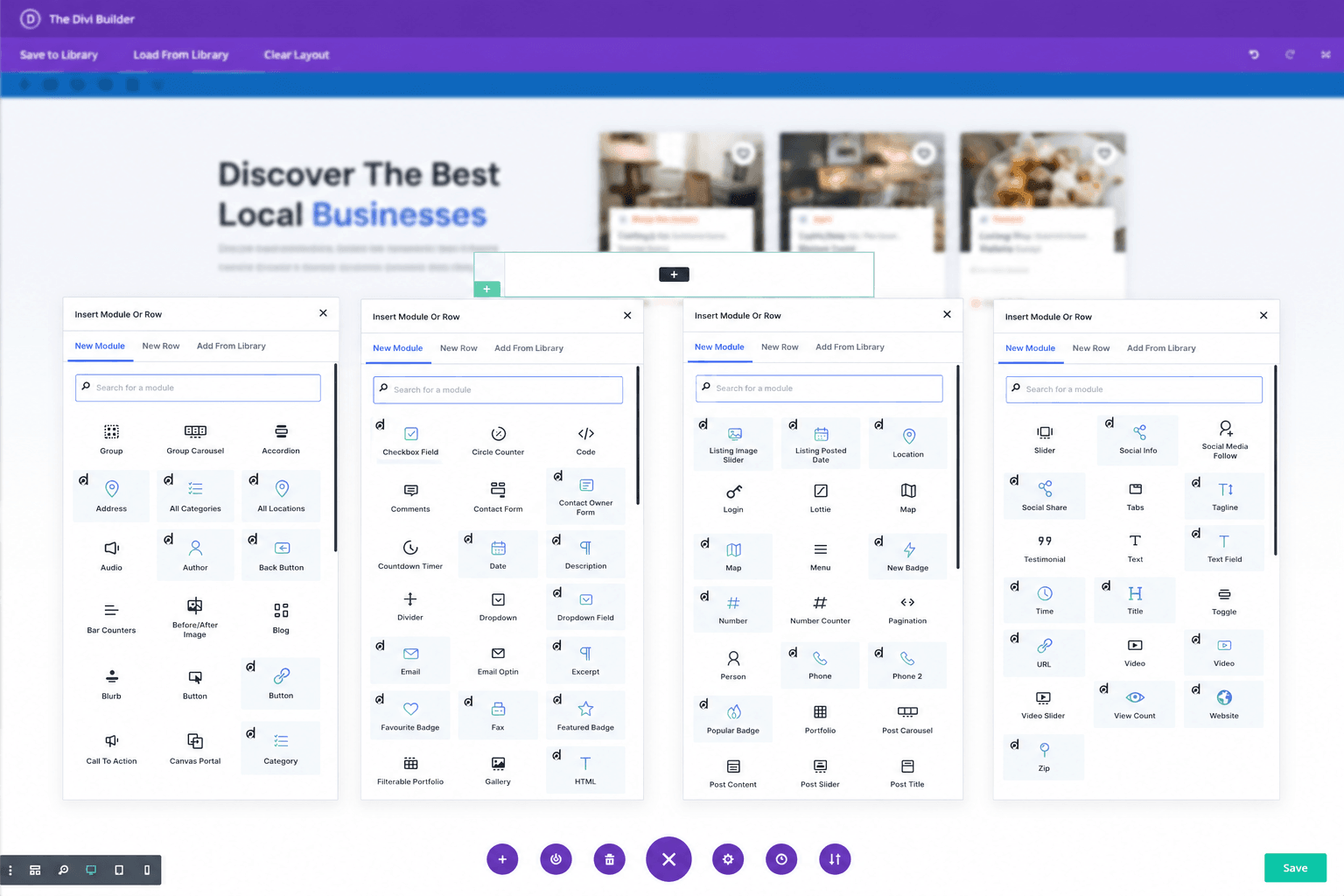
The Listing Loop handles the query and passes data to every module inside it. The Listing Header shows the result count, view switcher, and sort controls. The Search module works as a standalone hero search. The Listing Filter gives visitors an advanced sidebar to narrow results by category, location, price, tags, and custom fields. The All Categories and All Locations modules output browsable grids that link directly into filtered archives. Every module understands directory data and works together without configuration.
Key Features
- Your design, not ours Directorist has always come with its own themes and default layouts. This integration removes that constraint. You work directly inside Divi, use any theme you already have, and design your directory pages exactly the way your site calls for - without touching a Directorist theme at all.
- Ready-made directory layouts (coming soon) Pre-built directory layouts designed for common use cases — restaurants, real estate, job boards, and more. Import one, swap the content, and your directory is live without building from scratch. Get the extension now and you will have access to these layouts as they release.
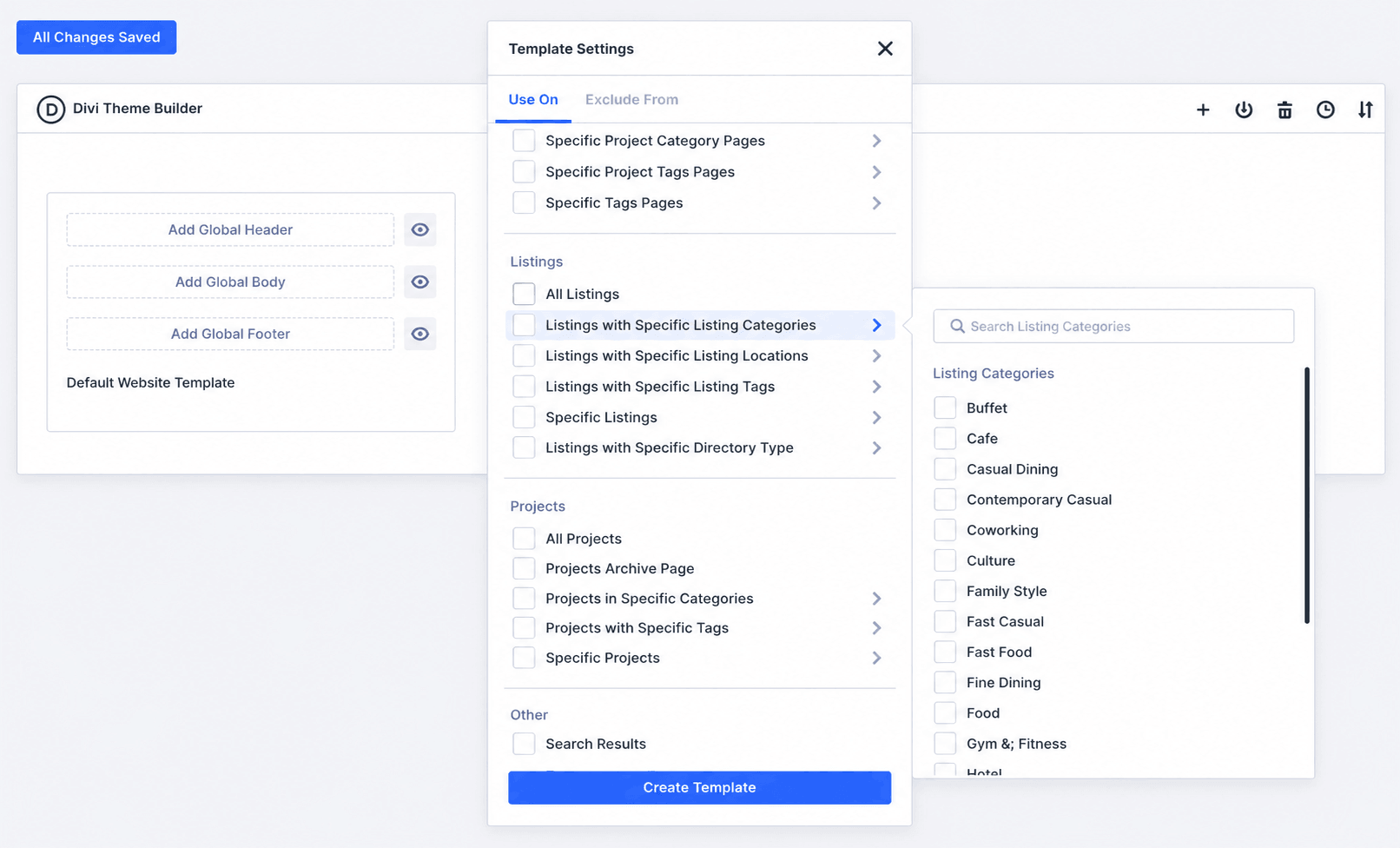
- Divi Theme Builder integration Build one layout inside the Divi Theme Builder and assign it to your Directorist listings. Every listing on your site then uses that design automatically, pulling in its own data. You design it once. Divi handles the rest.
- Build archive pages like any other Divi page You no longer need to drop a shortcode into a blank page and leave the layout to the plugin. With this integration, your listings archive is a real Divi page — sections, rows, modules — built and styled the same way you build every other page on your site.
- Built for Divi 5 The integration is built specifically for Divi 5, the latest major version of Divi. There is no compatibility gap to work around and no migration to deal with later. If you are already on Divi 5 or moving to it, this integration works without any additional setup.
- Directorist handles the data. Divi handles the design. Your listings, reviews, bookings, analytics, and all directory content stay inside Directorist exactly as they always have. The integration gives Divi the ability to shape how that content looks on the page — nothing more. You get full design flexibility without moving your data or rethinking how your directory works.
Frequently Asked Questions
If you are on a Directorist Bundle plan, the integration is already available in your dashboard - no separate purchase needed. If you are not on a bundle, you can purchase the integration as a standalone extension.
Yes. The Listing Card Template module lets you select a specific directory type and view mode, so you can build a separate card design for each combination.
No. The archive uses AJAX, so search queries, filter changes, sorting, view switching, and pagination all update the listing results without a full page reload.
Some modules only appear when a specific Directorist extension is active. For example, the Booking module requires Directorist Booking, and the Claim Listing module requires Directorist Claim Listing. Check that the related extension is installed and active.
Yes. All Directorist shortcodes work inside a Divi Code module. This is useful for pages like the Add Listing form, User Dashboard, and Checkout, where a single shortcode handles the whole page and visual module design is not needed.
It works with all three. You can use the Divi theme, any child theme built on Divi, or the Divi Builder plugin installed on a non-Divi theme.
Yes. You can create a Theme Builder template and assign it to the Directorist listing post type. You can also add a condition to target a specific directory type, so different directory types can have different single listing designs.
Yes. There are dedicated modules for each custom field type — text, number, URL, date, time, dropdown, radio, checkbox, color, and file. You select the field in the module settings and it pulls the value from the listing being displayed.
The Divi modules and layouts work with caching plugins, but the AJAX-powered archive can be affected by aggressive JavaScript optimization settings. If search or filter results stop updating, temporarily disable JavaScript defer or delay settings and clear the page cache.
Yes. The Listing Loop module lets you filter by directory type, set a default directory, and use the Directory Type module to let visitors switch between types. Theme Builder conditions also support targeting specific directory types with separate templates.