


Directorist v8.7.1 Released – Less Guesswork, Better Search and a Cleaner Admin Experience
-

- Product Updates
- 6 mins read
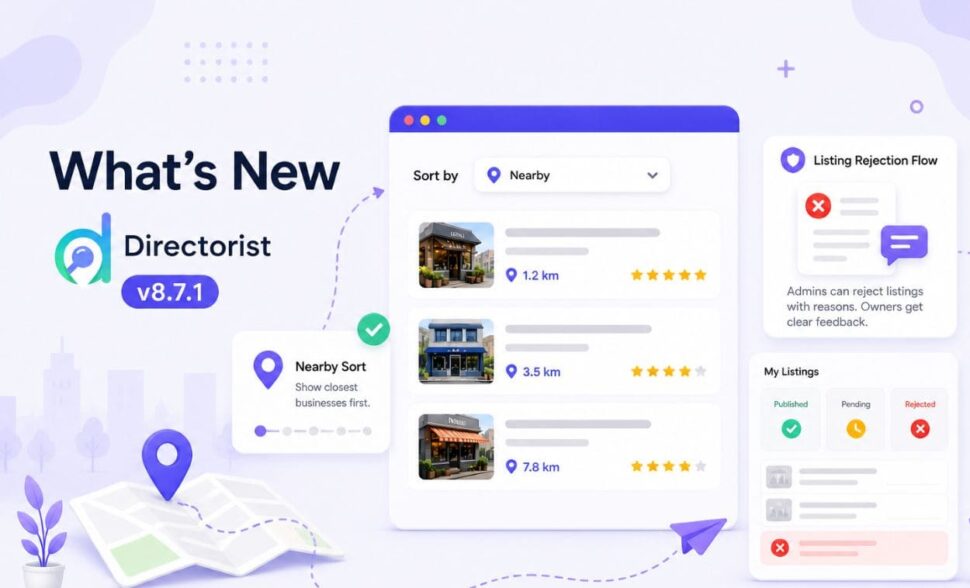
We released Directorist v8.7.1 this week with three new features, a set of improvements to existing flows, a bug fix, and some deliberate cleanup. This article walks through the changelog in a practical way – not just what changed, but the thinking behind each decision and what it means for how you run your directory.
Two things have consistently created friction in directory management: users running a location search and getting results that aren’t sorted by distance, and listing owners submitting without any feedback when something goes wrong. This release addresses both, alongside a developer-facing addition and a round of refinements to existing behaviour.
If you haven’t read the Directorist v8.7 release notes yet, worth doing that first before continuing.
Here’s everything that changed.
TL;DR
- Listing owners now know exactly why a submission was rejected – and what to fix.
- Users searching by location can sort results by distance.
- A few rough edges in the admin have been smoothed out, and some legacy clutter has been cleaned up.
- Both new features are in core, nothing extra needed.
What’s New in Directorist v8.7.1
Listing Rejection Flow

Until now, the listing approval process had a gap. An admin could approve a submission or leave it in pending. There was no formal way to reject it and no structured way to tell the listing owner why it hadn’t moved forward. Owners would log in, see “pending,” and have no clear next step.
That’s resolved in this release.
When reviewing a submission, admins now see two explicit options: Accept and Reject. Accept publishes the listing as before. Clicking Reject opens a panel with preset reasons – wrong directory, wrong information, incomplete details, and others. The admin can select one or type a custom reason. Once confirmed, that reason is recorded against the listing.
Read the Documentation: Listing Rejection Flow
On the listing owner’s side, the dashboard now includes a Rejected column alongside Published and Pending. Hovering over a rejected listing shows a tooltip with the specific reason the admin entered. From there, the owner can edit the submission and resubmit.
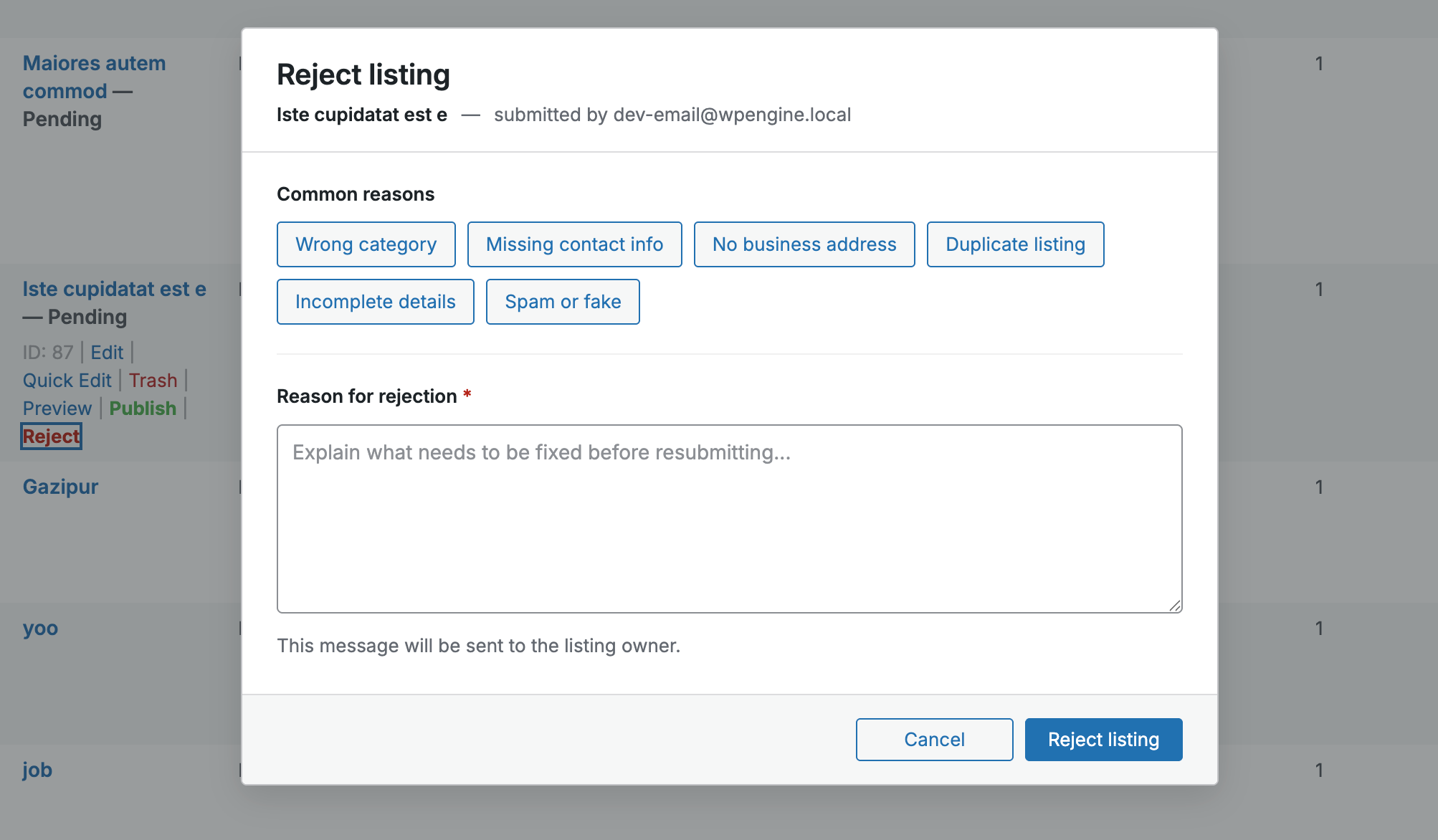
The result is a complete feedback loop between admins and listing owners, without requiring back-and-forth emails or manual follow-up. For directories with paid or premium listings in particular, this removes a source of ambiguity that previously had no clean resolution. The update also includes an owner notification email sent at the point of rejection, and a moderation history log for admin reference.
Nearby Sort
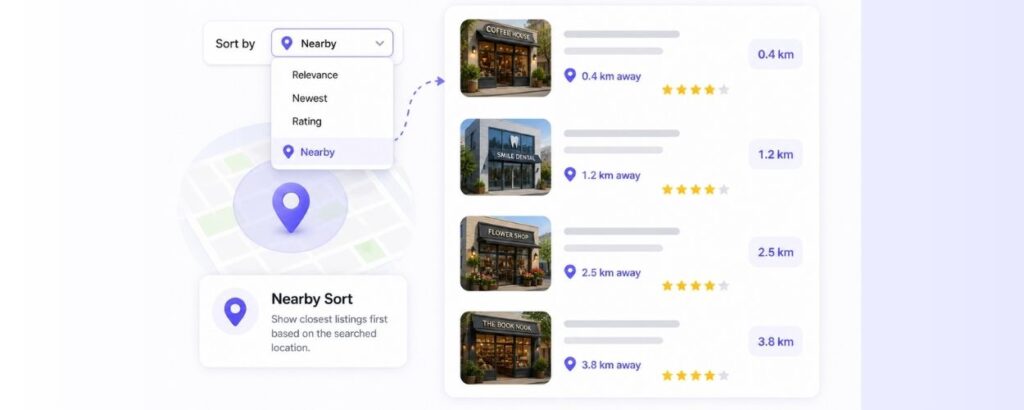
When a user runs a radius or zip-based search, they get a filtered set of listings. What they didn’t have until now was a way to order those results by distance. The nearest listing could appear anywhere on the page.
Nearby Sort adds a new option to the Sort By dropdown that orders results from shortest to longest distance from the searched address or zip code.
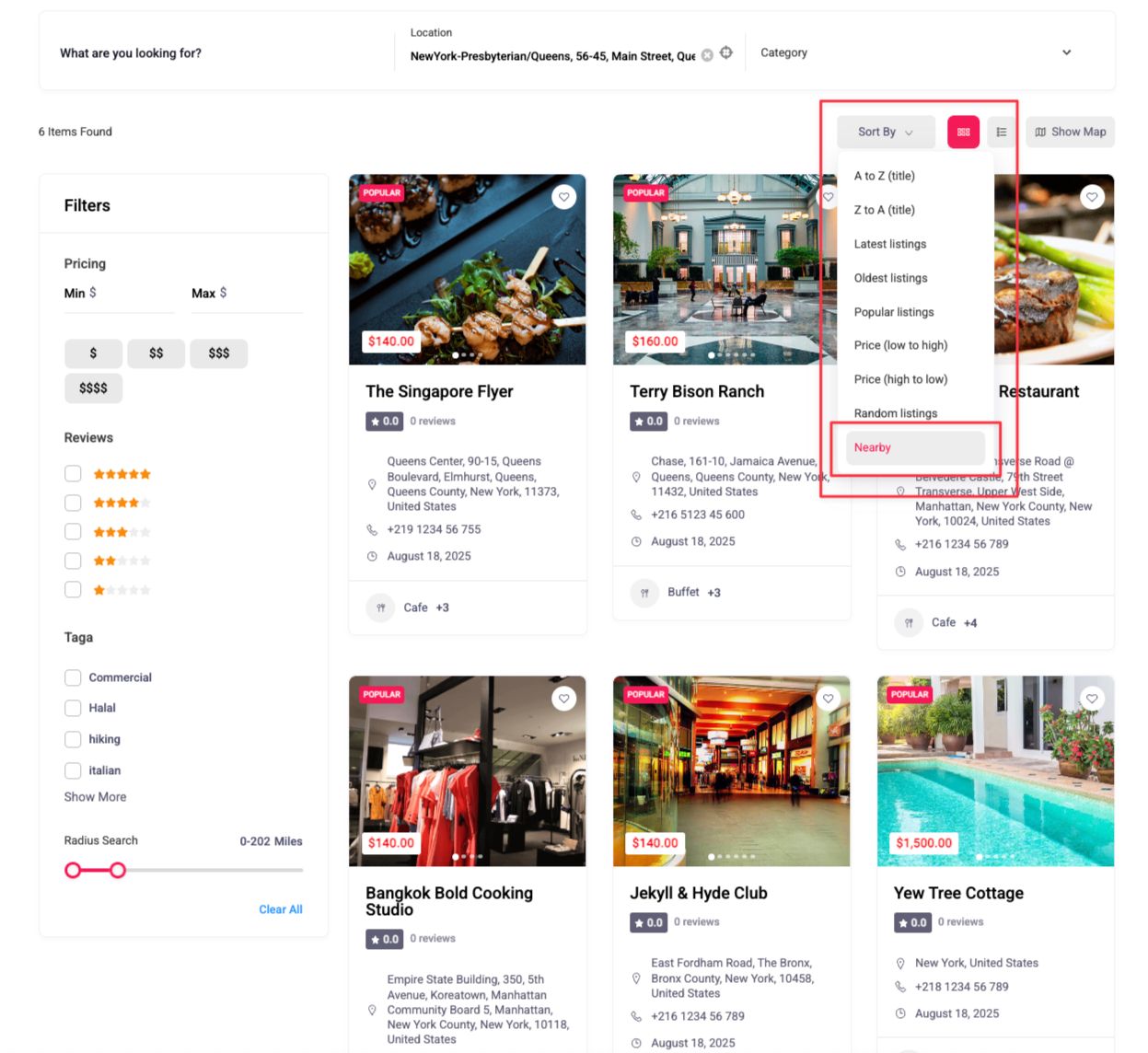
The option only appears when two conditions are met: the admin has enabled it in settings, and the user has run a search with a valid location reference. When those conditions aren’t met, the dropdown stays uncluttered. Radius search determines which listings are eligible; Nearby Sort orders those listings by distance ascending. The two work in sequence.
Read the Documentation: Nearby Sort
You can control the setting separately for two areas:
- All Listings page: Settings → General → All Listings → Sort Options
- Search Result page: Settings → Search → Search Result → Sort Options
Enabling it in one area doesn’t automatically apply it to the other.
Map Card Content Filter (Developer)
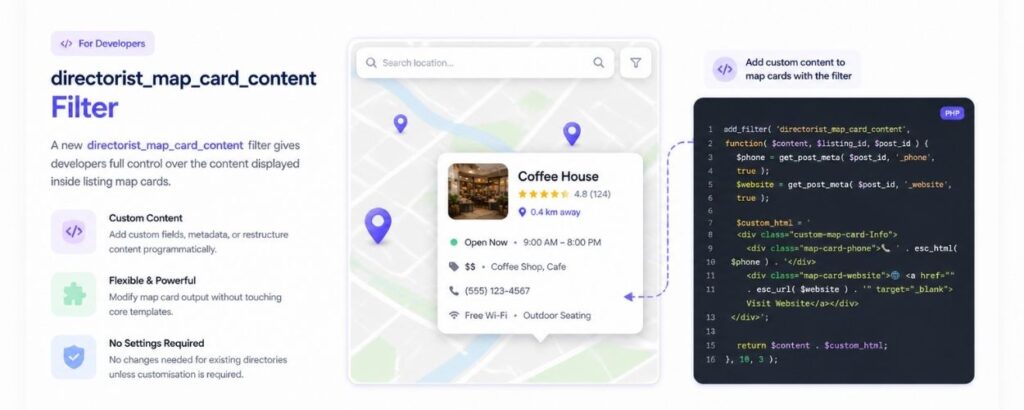
A new directorist_map_card_content filter is available for developers who need to customise what appears inside listing map cards. This gives you programmatic control over the map card output without modifying core templates – allowing custom fields, additional metadata, or restructured content to be surfaced on the map view per your directory’s requirements.
This is a developer-facing addition. No settings change is needed for existing directories unless customisation is required.
What’s Improved in Directorist v8.7.1
Beside the additions, the version comes with a few essential improvements that may impact how your directory workflows are set up.
Guest preview publish nonce flow
The nonce flow for guest preview publishing now uses the authenticated session after account creation. An edit capability check has also been added for post-review status updates, resolving an edge case where permissions weren’t correctly evaluated at that step.
Default tag style reset
Tag style handling for single listing content has been reset to default, correcting an inconsistency in how tags were rendered.
What’s Fixed in Directorist v8.7.1
Below is an important fix we implemented in the Directorist v.8.7.1 version.
The button now opens the correct settings page and tab. Subdirectory paths are also preserved correctly, which was causing redirect failures for sites installed in a subdirectory.
We Also Removed Some
Deprecated Elementor activation notice
The old Elementor activation notice flow has been removed. This was a legacy notice that no longer reflects how Elementor integration works in current versions. If you would like to try the beta version of the new Elementor Integration with Directorist, download the version from your Directorist Dashboard.
The Help & Support menu item and its related functionality have been removed from the admin panel. It’s now available inside Directorist dashboard as previous menu was a shortcut to the dashboard which would require users to login to their Directorist dashboard anyway. This removal ensures a minimal and more focused menu inside WordPress dashboard.
How to Update
Both new features are included in Directorist core. Update to v8.7.1 directly from your WordPress dashboard. No additional extensions are required to access either feature.
Before You Update
A plugin update is straightforward most of the time, but a few minutes of preparation can save a lot of recovery time if something doesn’t go as expected.
- Back up your full site first. This means your database and your files – not just the plugin folder. Don’t skip this step.
- Test on a staging site if you have one. Run the update there first, check that your listing submission flow, approval workflow, and search results behave as expected, then update production once you’re satisfied.
- Check your existing setup after updating. Confirm that your listing approval workflow is working correctly with the new Accept and Reject controls, run a radius-based search to make sure results display as expected.
If anything looks off, the Directorist support team is the right first stop.
What’s Coming After Directorist v8.7.1
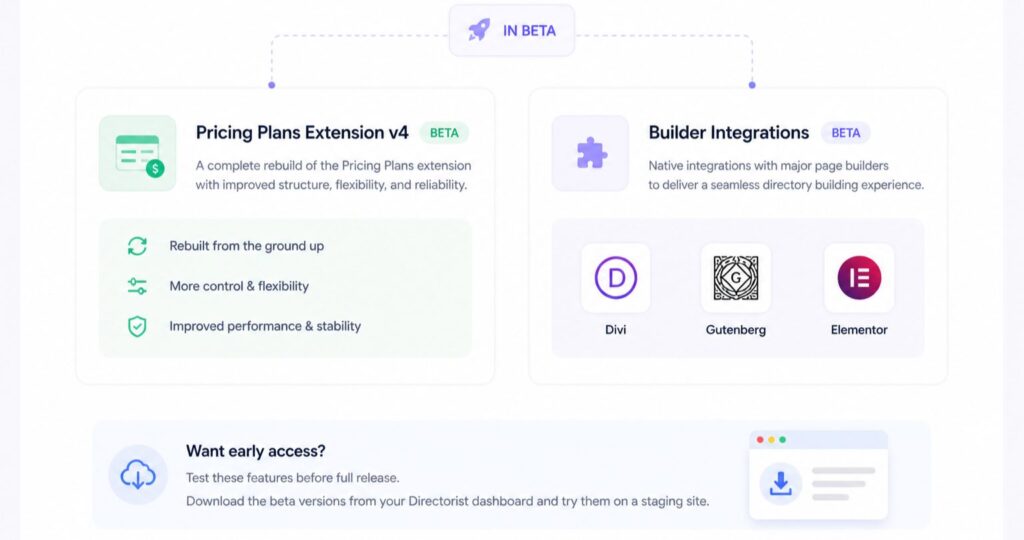
Two significant updates are currently in beta and moving toward full release.
Pricing Plans Extension v4
The pricing plans extension is being revamped from the ground up. Version 4 is a substantial rework – not just a refinement of what’s there now. We’ll share more detail on what’s changed as it gets closer to release. The plan is to ship it fully once it performs consistently without issues in beta.
Builder Integrations – Divi, Gutenberg, and Elementor
Native integrations with three major page builders are in active beta. Each is being tested to make sure the experience holds up across real directory setups before it goes to full release. As with the pricing plans revamp, the timeline is tied to how beta performs rather than a fixed date. We’d rather take the extra time than ship something that needs immediate patching.
If you’re interested in testing either before full release, you can download the beta versions directly from your Directorist dashboard and try them on a staging site.
Join the Conversation
Let us know how v8.7.1 is working for you – what’s landing well, what isn’t, and what you’re hoping to see next. The best feedback comes from people actually running directories day to day.
Join the Directorist Community to share your thoughts and connect with other Directorist users.

S. M. Navid Anjum
Digital Marketing enthusiast who loves to write technical reviews and trendy contents. Currently working with WordPress Plugin Marketing and growth. Open to collaboration and co-marketing opportunities with any SaaS and plugins.


Leave a Reply
You must be logged in to post a comment.