 Up to 35% Off!

Nearby Sort is a sort option that orders search results by distance from the location a user has searched. When enabled, listings closest to the searched address or zip code appear first, making it easier for users to find what they need in their immediate area.
How It Works #
Nearby Sort works together with Directorist’s radius search. When a user runs a location-based search – entering an address or zip code with a radius – the radius filter determines which listings are eligible to appear. Nearby Sort then orders those eligible listings from nearest to farthest.
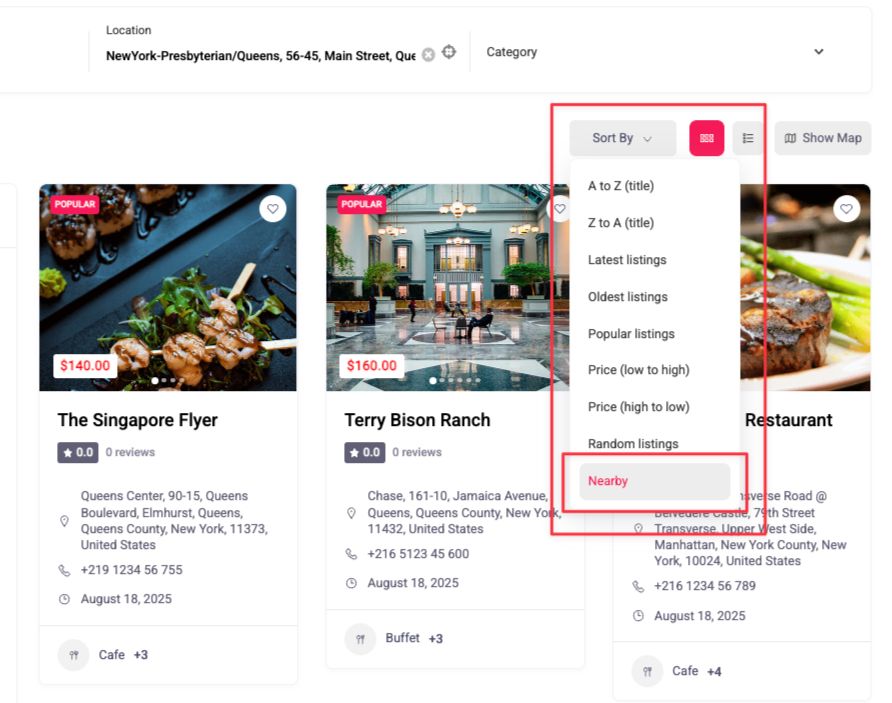
The sort option only appears in the sort dropdown when two conditions are both true:
- You have enabled Nearby Sort in your settings.
- The user has run a valid radius search.
If a user is browsing listings without a radius search, the Nearby Sort option will not appear in the dropdown.
Enabling Nearby Sort #
Nearby Sort can be enabled independently for two separate areas of your directory: the All Listings page and the Search Result page. Enabling it in one area does not affect the other.
All Listings Page #
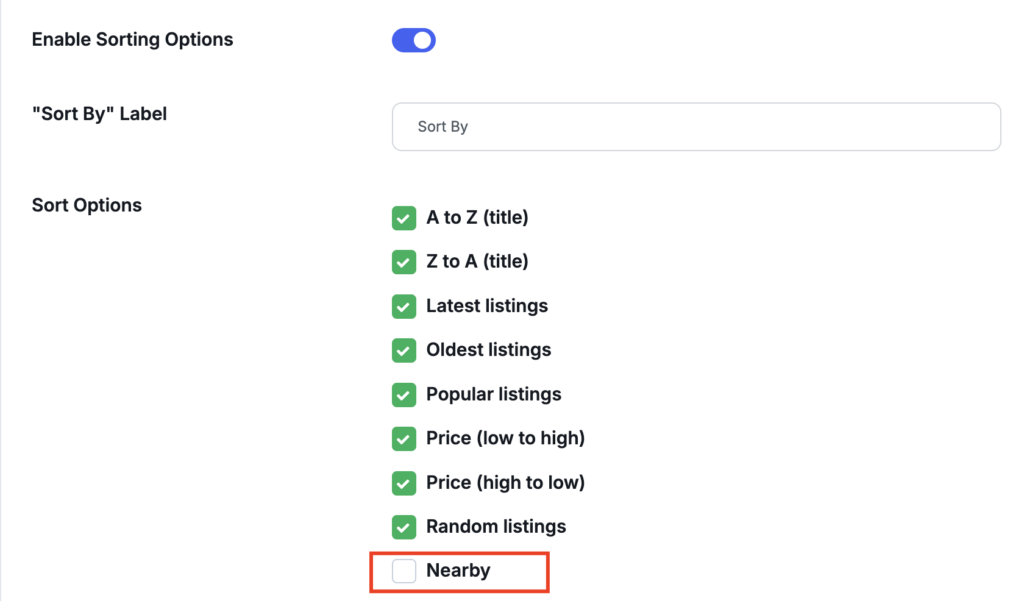
- Go to Directorist → Settings in your WordPress admin.
- Open the Listings section in the left sidebar.
- Click All Listings.
- Make sure Enable Sorting Options is toggled on.
- Under Sort Options, check the Nearby checkbox.
- Save your settings.
Search Result Page #
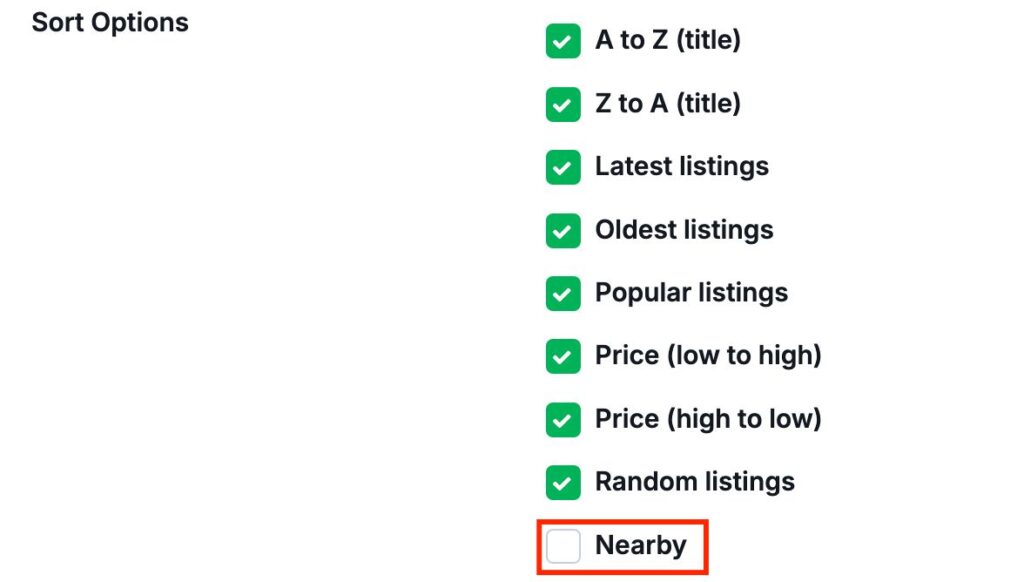
- Go to Directorist → Settings in your WordPress admin.
- Open the Search section in the left sidebar.
- Click Search Result.
- Make sure Enable Sorting Options is toggled on.
- Under Sort Options, check the Nearby checkbox.
- Save your settings.
How Users See It #
Once enabled, the Nearby Sort option appears in the Sort By dropdown on the relevant page – but only after the user has entered a location and run a search with a radius.
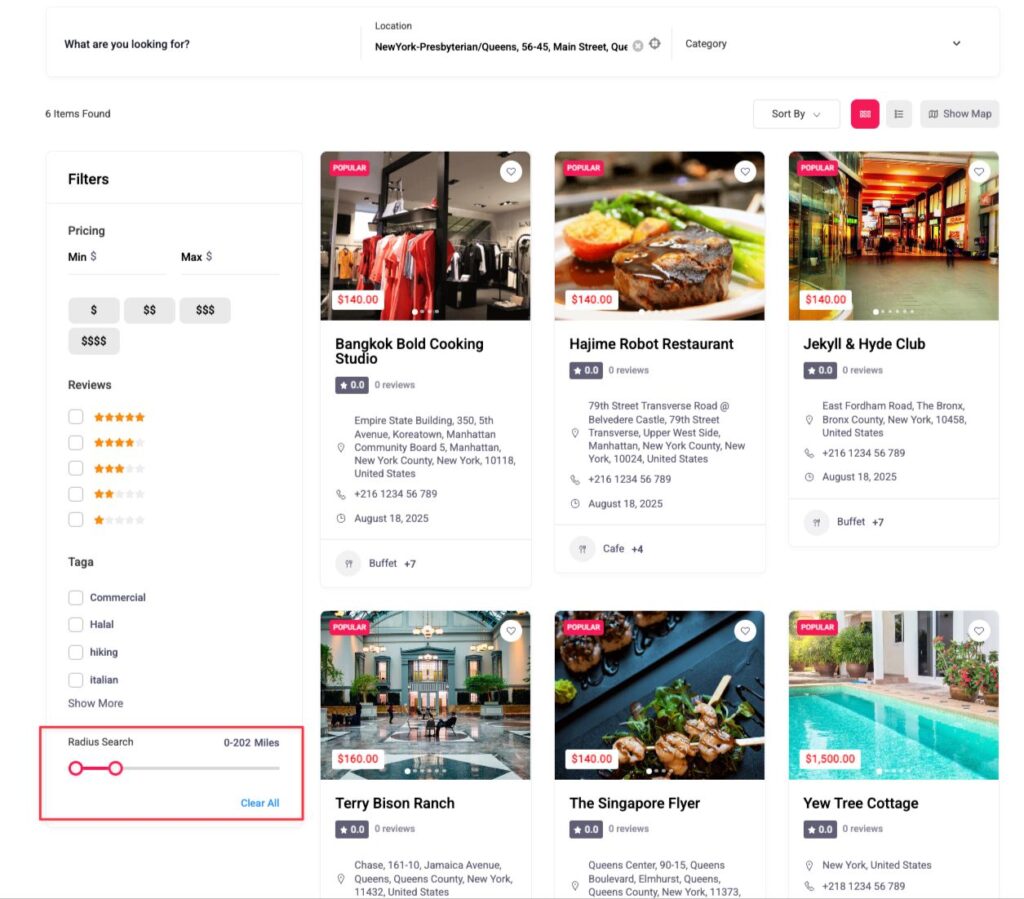
If a user searches by location, the Sort By dropdown will include Nearby as an option alongside any other sort options you have enabled (such as Most Recent or Alphabetical). Selecting Nearby reorders the results from closest to farthest based on the searched address or zip code.
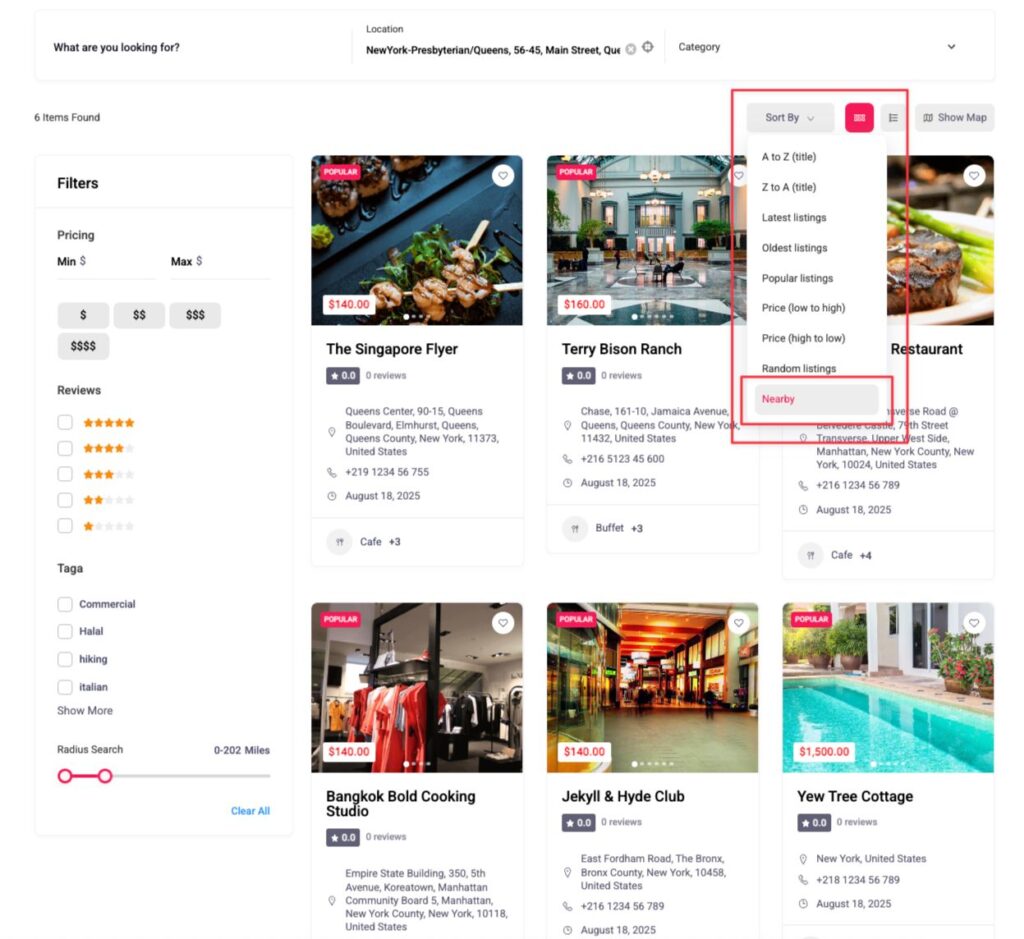
If no radius search has been run, the Nearby option will not appear in the dropdown.


