

AddonsKit for Bricks adds Directorist-specific elements to the Bricks page builder, so you can place directory content (listings, search forms, dashboards, checkout, and more) directly on a page without shortcodes. It also adds a Dynamic Tags provider, so listing field values can be pulled into other Bricks elements as dynamic tags.
Prerequisites #
AddonsKit for Bricks only loads if all three of the following are active. If any one is missing, the plugin shows an admin notice and does not load its elements.
- The Bricks theme is installed and active.
- Directorist (core, version 8.0 or later) is installed and active.
- Directorist Addonskit for Bricks is installed and active.
Path: WP Admin → Plugins → Installed Plugins
Enable Listings in Bricks Settings #
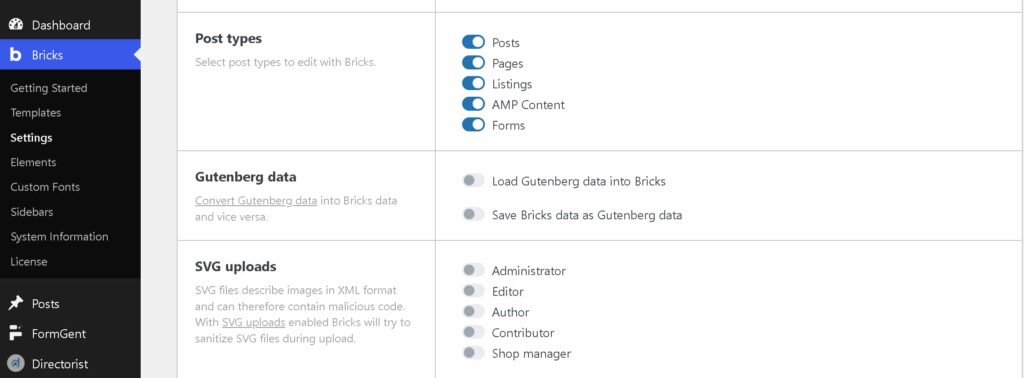
Bricks only lets you edit post types that are turned on in its own settings. Listings must be enabled here before you can build listing pages with Bricks.
Step 1 – Open Bricks post type settings #
- Go to Bricks → Settings.
- Under Post types, turn on Listings.
Path: WP Admin → Bricks → Settings → Post types
Step 1 – Find the Directorist elements in the builder #
Open a page in the Bricks editor.
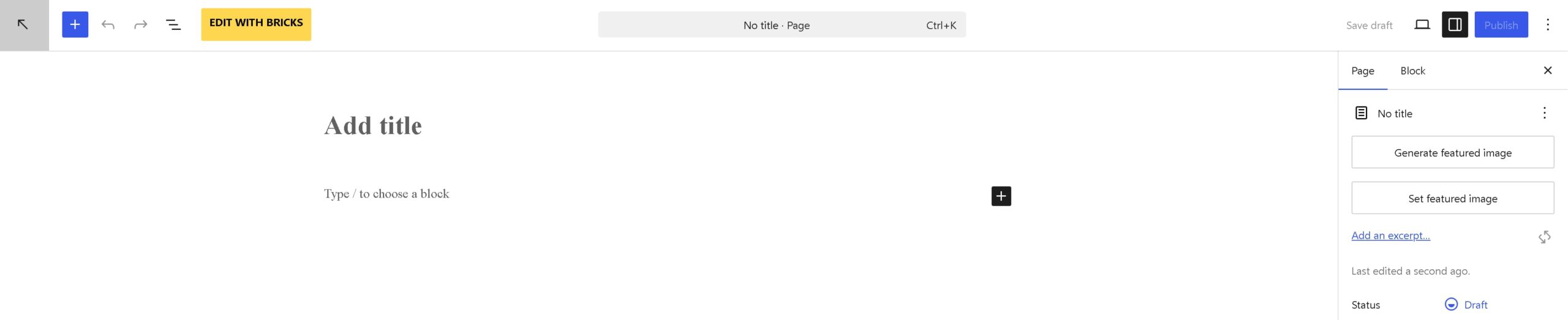
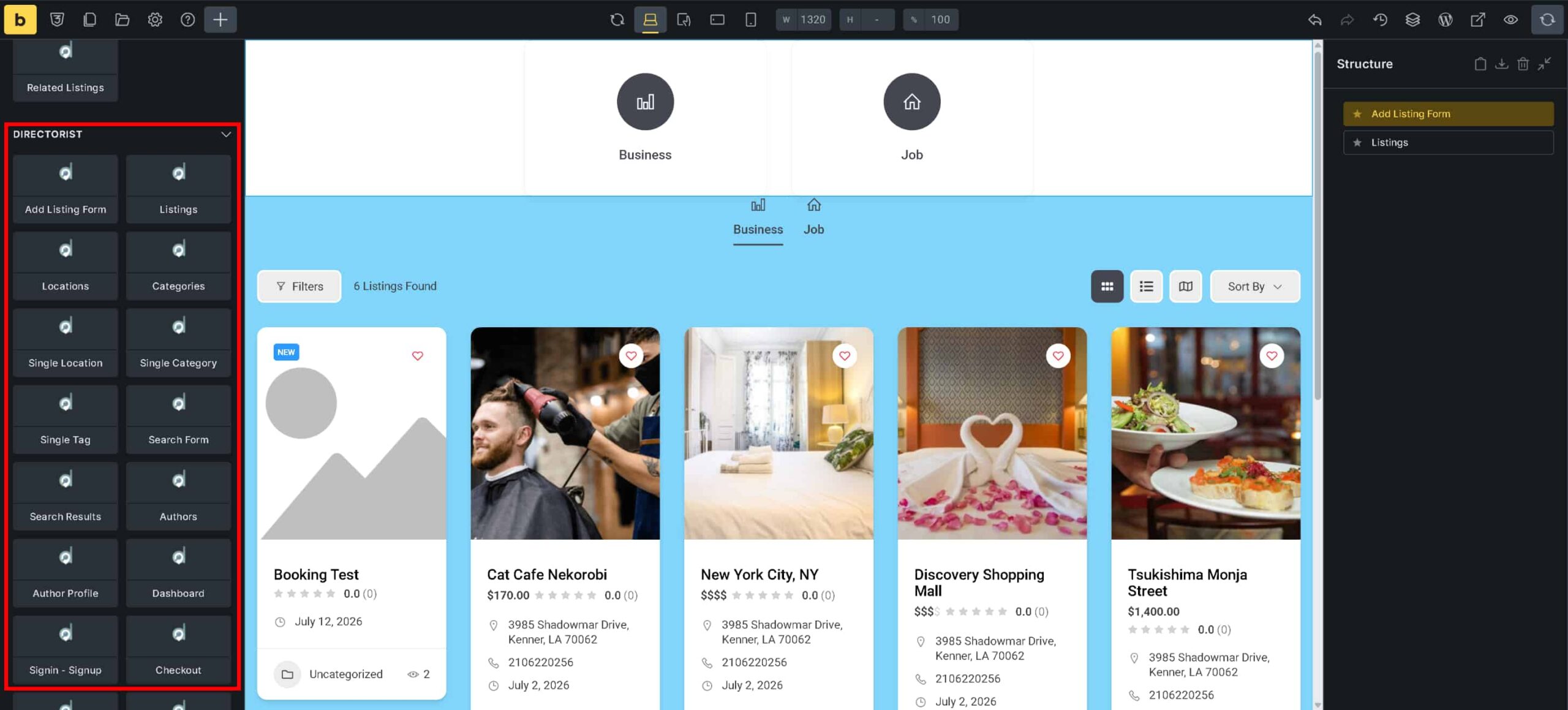
Open the element panel. Locate the Directorist category in the element list.
Step 2 – Add a Directorist element to a page #
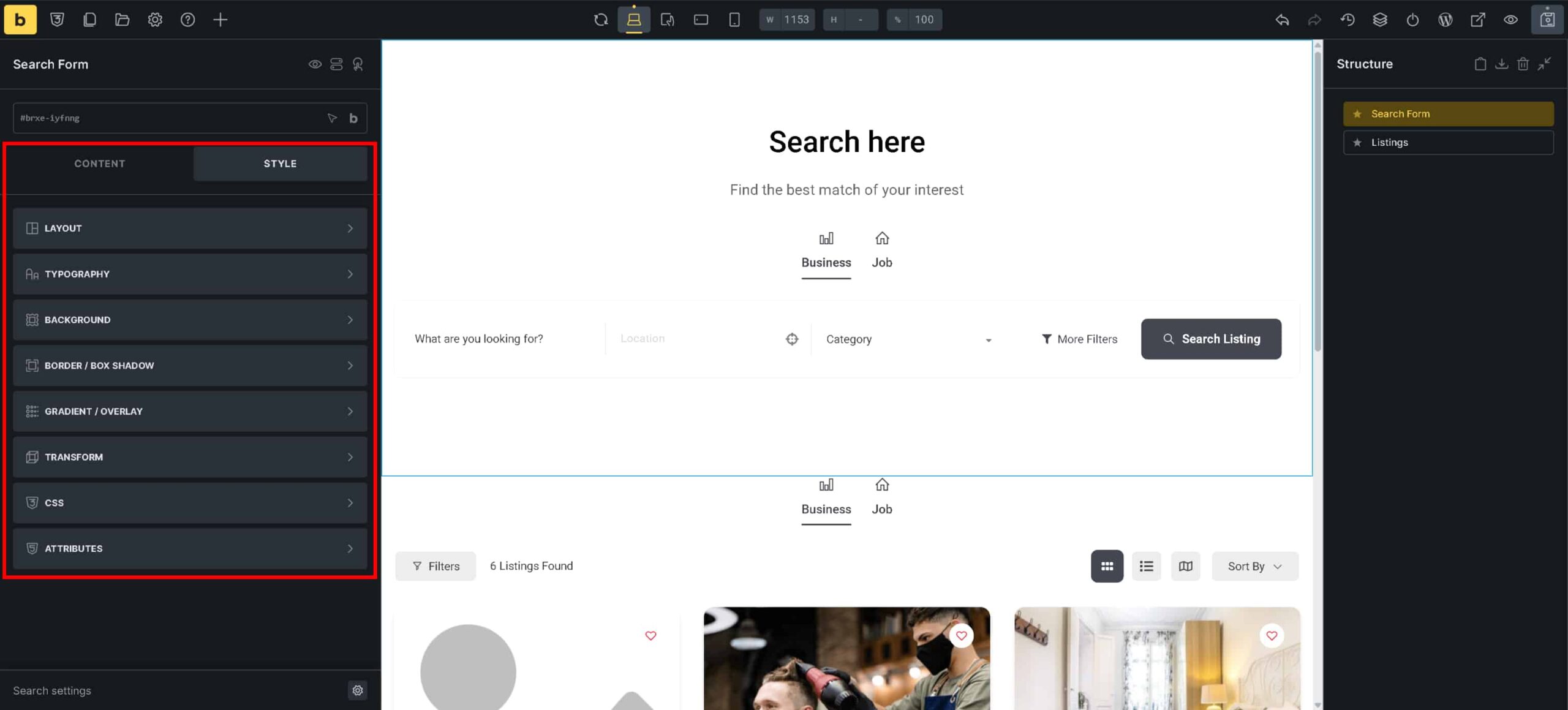
- Drag an element from the Directorist category onto the canvas, for example Search Form or Listings.
- Select the element to open its settings panel on the right.
[SCREENSHOT: A Directorist element placed on the canvas with its settings panel open]
The same drag-and-drop process applies to every element in the Directorist category.
Step 3 – Configure the element’s settings #
Use the element’s settings panel to adjust its content and style options, the same way you would for any other Bricks element.
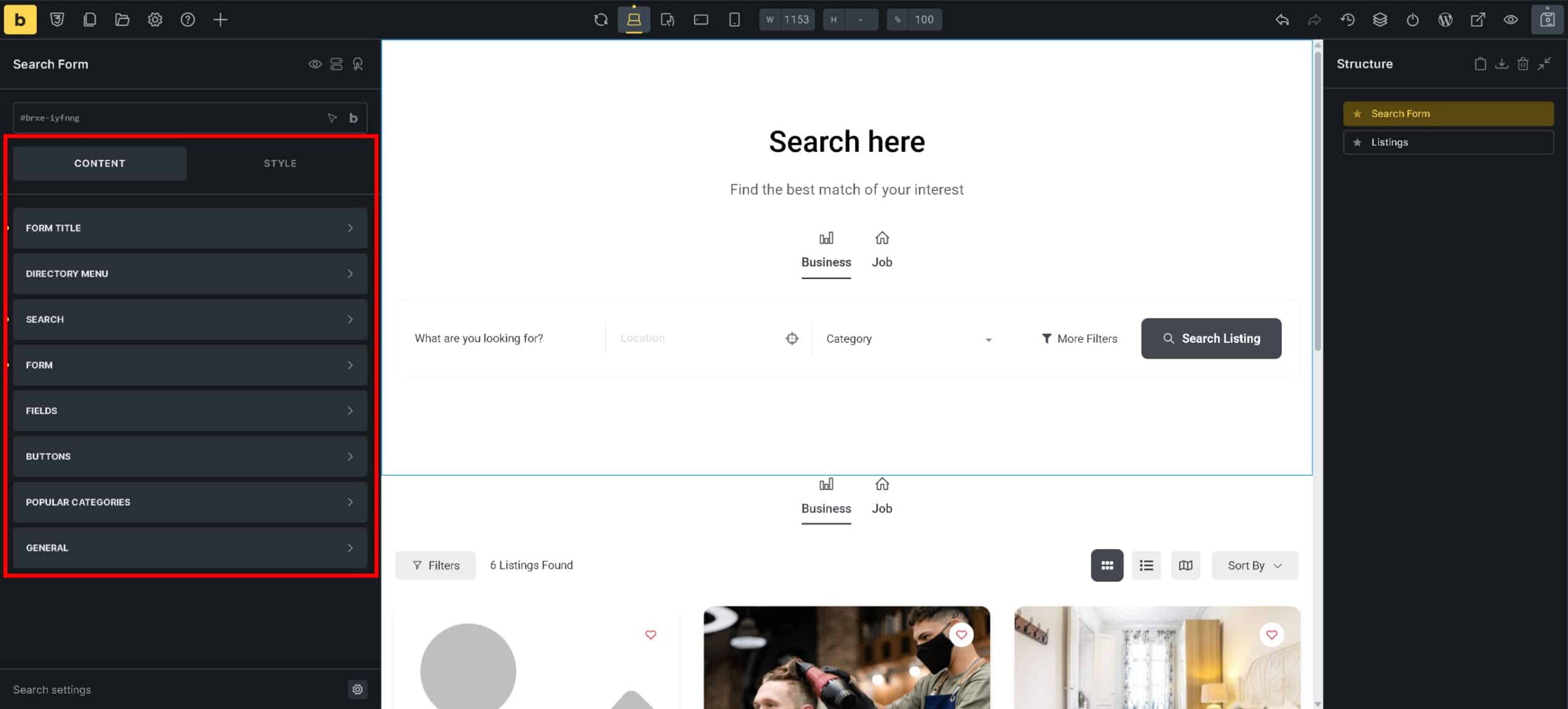
Use the Style tab in the settings panel to adjust layout, spacing, and appearance.
Available Directorist elements #
The Directorist category groups elements by purpose:
Listings & Browsing
- Listings
- Locations
- Categories
- Single Location
- Single Category
- Single Tag
- Search Form
- Search Result
Listing Detail
- Quick Actions
- Action Links
- Images
- Meta Info
- Author Bio
- Contact Form
- Social Media
- Map
- Review
- Related Listings
Submission & Account
- Add Listing
- Authors
- Author Profile
- Dashboard
- Sign In / Sign Up
- Account
Payments
- Checkout
- Payment Receipt
- Transaction Failure
Components
- Search Modal


