 Up to 35% Off!


Table of Contents
Directorist v8.7: New Advanced Fields to Make Listings More Actionable
-

- Product Updates
- 5 mins read
Directorist v8.6 focused on flexibility and control by offering features like smarter forms with conditional logic, safer listing management with move to trash instead of permanently delete, and better mobile search layout. It was about giving directory owners more confidence as their platforms grow.
With Directorist v8.7, we’re shifting our focus to the listing itself. The latest Directorist v8.7 release introduces two new advanced fields that give listing owners more ways to drive real action from their profiles and give site admins more tools to shape how listings communicate with visitors.
In today’s article, we’re going to take a closer look at everything packed into Directorist v8.7 and, more importantly, how you can actually use these tools to level up your directory.
TL;DR
Directorist v8.7 adds a Button field and an HTML field to the Directory Builder, along with a small but meaningful UI improvement to the Listings Columns setting and an email reliability fix.
What’s New in Directorist v8.7
There is plenty to dig into with this update, but the two new fields are the real stars of the show.
Button Field – Turn Every Listing into a Direct Action
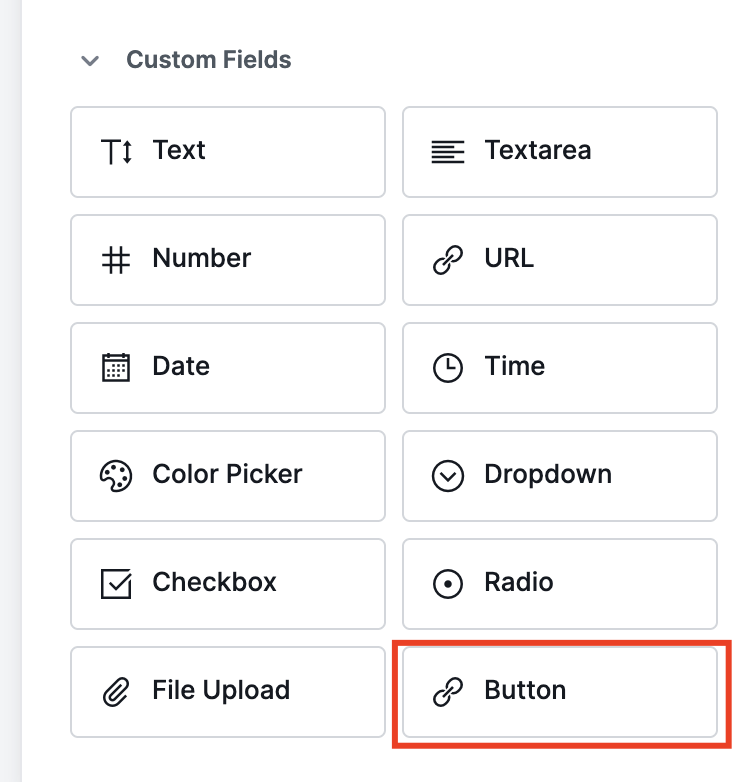
If you had been using the Directorist’s directory builder custom fields regularly, you’re aware that until now, a listing could show a phone number, an email, and a website link. But there was no clean way for a listing owner to add a dedicated call-to-action with a custom label pointing to exactly where they wanted visitors to go.
The new Button field fills that gap.
Site admins can add it to the listing submission form via the Directory Builder. Listing owners can then set their own button text and URL. Placing valuable text within their custom CTA button such as “Book a Table”, “Get a Quote”, “Order Online”, “Schedule a Call” or whatever makes sense for their business.
Where it gets particularly useful is in the All Listing layout. You can place the button as an action element directly on each listing card. A visitor browsing your directory can click the button without opening the listing detail page at all. For directories where conversions happen in forms of bookings, orders, appointments or lead form submissions – this is a meaningful upgrade to how listings perform.
You can use several buttons in a listing and they can also appear in the listing header and within the listing content area on the single listing page. Different button with different action placed within various parts of the single listing content enhances your change to get more clicks and conversions. You’re getting full control over placement based on how your directory is structured.
HTML Field – Embed Anything Directly in a Listing
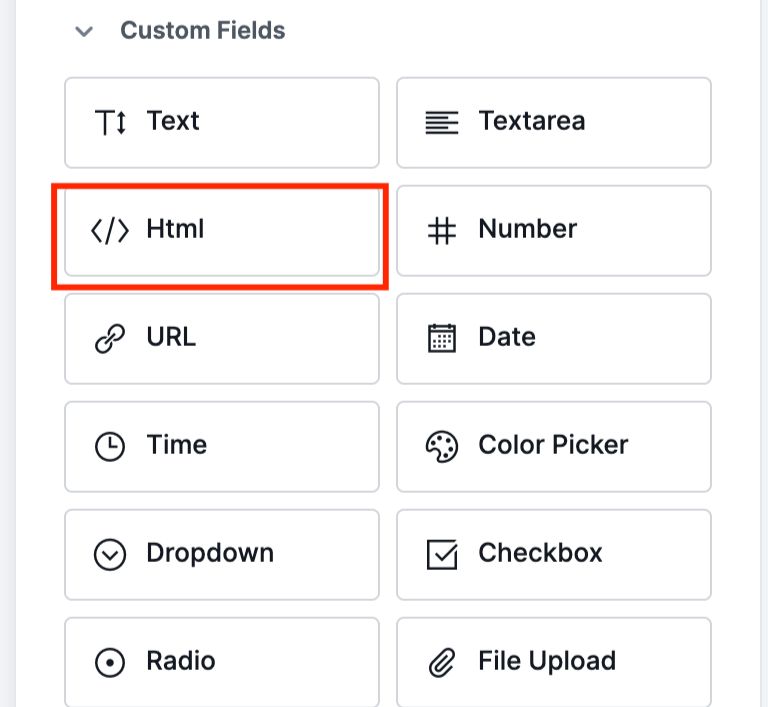
If the Button field is for quick wins, the HTML field is where things get really creative. It basically gives listing owners a blank canvas to drop in whatever they need. By whatever we mean, embed any HTML content directly into their listing page.
Instead of just looking at a static page, imagine a restaurant owner tossing in their OpenTable widget so customers can snag a table right then and there without explicitly using Directorist booking option. Or a yoga studio syncing their live Acuity schedule so classes stay updated automatically.
Similarly, a contractor can embed their quote request form inside the listing or hotel owner embedding price comparison widget so that users can compare with other options within the listing. From forms to widgets, schedules to bookings – if it’s HTML, it works.
The best part? It’s not just a link or a clunky screenshot. It’s the actual, functional tool living right inside the listing. As a site admin, you still stay in the driver’s seat; you can decide exactly where this block sits in the layout, or even keep it “admin-only” if you’d rather handle the embeds yourself. Basically, the HTML field is a total wildcard that lets listing owners embed live, functional tools directly onto their page.
Listing Type Now Works with Conditional Logic
A small but useful addition for directory owners who handle monetization through listing types rather than pricing plans.
If you’re not using Directorist’s tiered pricing or membership system, Listing Type is likely how you manage paid versus free on your directory. Typically General listings are free, Featured listings are paid. It’s a clean, low-overhead way to run monetization without building out a full pricing structure.
Until now, Conditional Logic couldn’t read Listing Type as a condition. That meant you couldn’t show or hide fields based on whether a listing owner had chosen General or Featured. In v8.7, that’s changed – Listing Type is now available as a field in Conditional Logic.
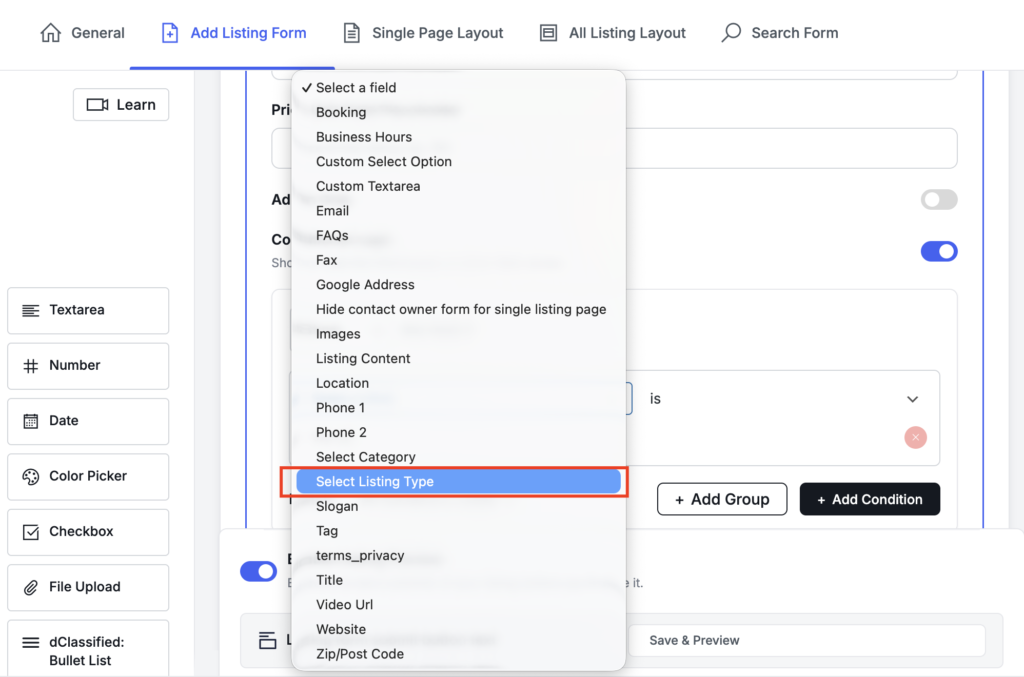
What this looks like in practice:
Say you run a local business directory. A listing owner who upgrades to Featured is paying for more visibility. It makes sense to get more out of them. With this update, you can set a rule: if Listing Type is Featured, show the Promotional Banner field, or a custom “Highlight your offer” text field.
General listing owners see a simpler form. Featured listing owners automatically see additional fields prompting them to fill in more profile detail.
The opposite works too. If there are fields that only apply to free listings, like a “Claim this listing” prompt or a referral field, you can hide those from Featured listing owners who’ve already converted. It keeps your submission form relevant to what each listing owner is actually doing, without you having to manage it manually.
By pulling these features into the core, we’re trying to make your life easier and your site faster. You shouldn’t have to bloat your WordPress install with extra plugins just to get a simple button or a Custom HTML section. Directorist v8.7 keeps things lean and gives you the tools you need right out of the box.
Improved Listings Columns Setting
A small but welcome UI improvement: the Listings Columns setting has been updated from a plain number input field to a visual image radio selector. Instead of typing a number and guessing how it looks, you now select the column layout visually. Faster to configure, easier to understand at a glance.
Fixed Unlimited Email Sending Issue
A bug was causing listing-related notification emails to fire without limit under certain conditions. This has been resolved. Email notifications now behave as expected, without repeated or unintended sends.
Wrapping Up
Directorist v8.7 is a focused release. The Button and HTML fields don’t change the structure of how your directory works, they change what a listing can do once a visitor lands on it. For directory owners who want their platform to drive more real-world actions, these two fields are worth turning on and letting your listing owners explore.
As always, back up your site before updating, then upgrade Directorist core to v8.7 from your WordPress dashboard.
Have questions or feedback? Drop them in the comments or head to the Directorist Community.
Read More

S. M. Navid Anjum
Digital Marketing enthusiast who loves to write technical reviews and trendy contents. Currently working with WordPress Plugin Marketing and growth. Open to collaboration and co-marketing opportunities with any SaaS and plugins.


Leave a Reply
You must be logged in to post a comment.