




Table of Contents
- 1 Quick Comparison: Best WordPress Directory Plugins (2025)
- 2 8 Tips to Choose the Right WordPress Directory Plugin
- 2.1 1. Page Builder & Theme Compatibility
- 2.2 2. Custom Fields & Form Builder
- 2.3 3. Advanced Search, Filtering & Query Performance
- 2.4 4. Frontend Submission & User Dashboard
- 2.5 5. Maps & Geolocation Tools
- 2.6 6. Monetization Options
- 2.7 7. Scalability & Database Performance
- 2.8 8. Support, Documentation & Ecosystem
- 3 Best WordPress Directory Plugins (Reviewed, Compared & With Real Use Cases)
- 4 Others WordPress Directory Plugins
- 5 Which WordPress Directory Plugin Should You Choose?
- 5.1 What is a WordPress directory plugin?
- 5.2 What is the best WordPress directory plugin?
- 5.3 Can I build a directory website without coding?
- 5.4 Can I make money with a directory website?
- 5.5 What features should I look for in the best directory plugin?
- 5.6 Can I use Elementor or Gutenberg with directory plugins?
- 5.7 Which WordPress directory plugin is best for real estate websites?
- 5.8 Which plugin is best for a job board?
- 5.9 Which plugin is best for classified ads?
- 5.10 Are directory plugins SEO-friendly?
- 5.11 Can I migrate from one directory plugin to another?
- 5.12 Are there any free WordPress directory plugins?
- 5.13 How many listings can a WordPress directory plugin handle?
- 5.14 Can I create multiple directory types on one website?
- 6 It’s Your Turn…
Best WordPress Directory Plugins To Create Directory Website
-

- Plugins Directory Niche WordPress
- 15 mins read
If you’re exploring directory plugins, it means you’ve already uncovered one of the most profitable and evergreen online business models – the directory business. Platforms like Yelp, Craigslist, and TripAdvisor prove how powerful directory websites can be.
These platforms generate massive traffic and consistent revenue through various monetization options. Some of these options include paid listings, featured placements, memberships, claim listings, and advertising. But many directory projects fail not because of poor idea, but because they choose the wrong system.
A poor plugin choice leads to slow performance, limited features, scalability issues, and months of wasted time and money. One don’t simply want to do it on purpose. And that’s exactly why you need to know the best WordPress directory plugin to start or scale your directory website the right way.
Finding the right tool can feel overwhelming, especially when every plugin advertises itself as “the most powerful” or “the easiest to use.” Whether you’re building a business directory, local listing website, job board, real estate directory, classified ads marketplace, service directory, or even a multi-directory platform, your success heavily depends on choosing the right plugin from the start. In this article, we’ll discuss —
➡️ Quick Comparison: Best WordPress Directory Plugins
➡️ 8 Tips to Choose the Right WordPress Directory Plugin
➡️ Best WordPress Directory Plugins (Reviewed, Compared & With Real Use Cases)
➡️ Others WordPress Directory Plugins
➡️ Which WordPress Directory Plugin Should You Choose?
In a hurry?
👉 Our top all-purpose pick is Directorist — now trusted by 20,000+ active users, offering advanced search filters, flexible custom fields, monetization tools, map integrations, unlimited listings (even in the free version), and a full ecosystem of dedicated themes and 30+ extensions for booking, reviews, multi-directory support, and more with exciting Directorist AI.
For this guide, we thoroughly tested and analyzed the most popular WordPress directory plugins based on:
- Ease of use
- Features & customization flexibility
- Frontend submission & user dashboard
- Search & filtering performance
- Page builder compatibility (Elementor, Gutenberg, Divi)
- Pricing, scalability & long-term growth potential
- Real-world use cases and niche suitability
In this article, you’ll find a clear, non-technical breakdown of the best WordPress directory plugins — complete with pros, cons, pricing, and ideal use cases. By the end, you’ll know exactly which business directory plugin is the right fit to create a directory website that can grow into a sustainable, profitable online business.
Without further ado, let’s dive into the best WordPress directory plugins to create a profitable directory business.
Quick Comparison: Best WordPress Directory Plugins (2025)
| Plugin | Rating | Ease of Use | Best For | Best Feature | Free Directory Version | Starting Price |
| Directorist 🏆 Top Pick | 4.9/5 | ⭐⭐⭐⭐⭐ | All-purpose directories | Custom fields + advanced search builder | Yes | $96 – $109 |
| GeoDirectory | 4.6/5 | ⭐⭐⭐⭐ | Map-heavy, multi-location directories | Google Maps + location manager | Yes | $115- $229 |
| Connections | 4.7/5 | ⭐⭐⭐⭐⭐ | Staff & member directories | Highly customizable entry types | Yes | $59–$299 |
| Business Directory Plugin | 4.4/5 | ⭐⭐⭐⭐ | Simple local business listings | Payment & CSV import tools | Yes | $149 – $349 |
| Advanced Classifieds & Directory Pro | 4.5/5 | ⭐⭐⭐⭐ | Classified ads & listing marketplaces | Flexible custom fields & paid ads | Yes | $95–$289 |
Need more explanation? Read these articles 👇
- GeoDirectory vs Directorist – Which One to Choose?
- Directorist Vs HivePress Vs GeoDirectory: Which One is Right for You?
- Directory vs Classified Listings: Which Is Better for Your Website?
- Directorist vs Directories Pro – A Concrete Comparative Guide
8 Tips to Choose the Right WordPress Directory Plugin

Choosing a directory plugin depends on what kind of listing website you want to build — business directory, job board, events directory, real estate platform, classified ads marketplace, or a multi-directory ecosystem.
Use this checklist to ensure the best business directory plugin fits your directory business model.
1. Page Builder & Theme Compatibility
Your plugin should work with:
- Elementor
- Gutenberg
- Divi
- Oxygen
- Any standard WordPress theme
2. Custom Fields & Form Builder
Look for:
- Drag-and-drop form builder
- Custom input types (text, checkbox, select, number, rating, etc.)
- Conditional fields
- Taxonomy support
- Category-specific fields
Example:
A real estate directory requires bedrooms, bathrooms, area size.
A job directory requires salary range, job type, experience level.
3. Advanced Search, Filtering & Query Performance
Your plugin should support:
- Keyword search
- Category/taxonomy filters
- Directory custom field filters
- Radius search
- Map-based filtering
- AJAX search (faster results)
Why it matters:
A directory is only useful if users can find directory listing quickly.
Plugins like Directorist and GeoDirectory excel here.
4. Frontend Submission & User Dashboard
Essential for directories built on user-generated content.
You need:
- Frontend listing submission
- Frontend editing
- Moderation queue
- Dashboard for users to manage listings
- Email notifications
- Listing expiration tools
Directorist, ACDP, and Business Directory Plugin are best WordPress Directory Plugins offering this strongly.
5. Maps & Geolocation Tools
Online directory plugins should support:
- Google Maps
- OpenStreetMap
- Location autocomplete
- Map clustering
- Geolocation search
- Clickable markers
This is required for business directories, travel guides, and local listings.
6. Monetization Options
If you plan to earn money, look for:
- Paid listings
- Featured listings
- Pay-per-submit
- Membership/subscription packages
- Claim listings
- Ads integration
- WooCommerce compatibility
Directorist and Business Directory Plugin offer multiple monetization models.
7. Scalability & Database Performance
As your directory grows, performance becomes critical.
Look for:
- Optimized database structure
- Fast filtering
- Cache compatibility
- Lightweight scripts
- API support
- CSV import/export tools
GeoDirectory and Directorist handle scaling extremely well.
8. Support, Documentation & Ecosystem
Directory websites grow over time — support matters.
Choose a plugin with:
- Detailed documentation
- Video tutorials
- Active support
- Helpful community groups
- Add-on marketplace
- Regular updates
Directorist, GeoDirectory, and Connections excel in long-term support.
Best WordPress Directory Plugins (Reviewed, Compared & With Real Use Cases)

Below you’ll find detailed reviews of the top WordPress directory plugins. Each plugin includes:
- Best For
- Use Cases (very important!)
- Key Features
- Pros & Cons
- Pricing
Directorist
Directorist is one of the most customizable WordPress directory plugins available that allows you to build almost any type of directory website — from simple business listings to full multi-vendor marketplaces and niche online directory projects.
⭐ Best For: All directory types: business listings, local directories, job boards, classified ads, service directories, events, real estate, or multi-directory platforms.
➡️Use Case Examples: Use Directorist if you want to build:
- A business directory like Yelp
- A job board like Indeed
- A real estate listing site like Zillow
- A service directory (lawyers, doctors, consultants)
- A classified ads website like Craigslist
- A multi-directory platform (jobs + real estate + services)
- A local tourism directory (restaurants, hotels, events)
- A membership-based directory with paid listings
You can start and build directory website with Directorist ‘s free core plugin and can scale later with it rich ecosystem of official themes and extensions.
➡️Key Features:
- Drag-and-drop custom fields & form builder
- Advanced search & filtering system
- Frontend directory listing submission
- Google Maps + OpenStreetMap
- Multi-directory support
- Monetization options (paid listings, claim listing, memberships, ads)
- 25+ Elementor widgets
- Booking / reservation & other extensions
- Directorist themes
- WooCommerce multi-vendor support
- Clean, lightweight, developer-friendly
➡️Pros:
✔ Extremely customizable
✔ Beginner-friendly interface
✔ Huge extension library
✔ Works with any WordPress theme
✔ Perfect for both small & large directories
✔ Multi-directory support (rare feature)
➡️Cons:
✘ Beginners may feel overwhelmed by advanced options
✘ Theme styling sometimes needs tuning
➡️Pricing:
- Free core plugin
- Add-ons: $29 – $89
- Bundle: $96 – $109 year
GeoDirectory
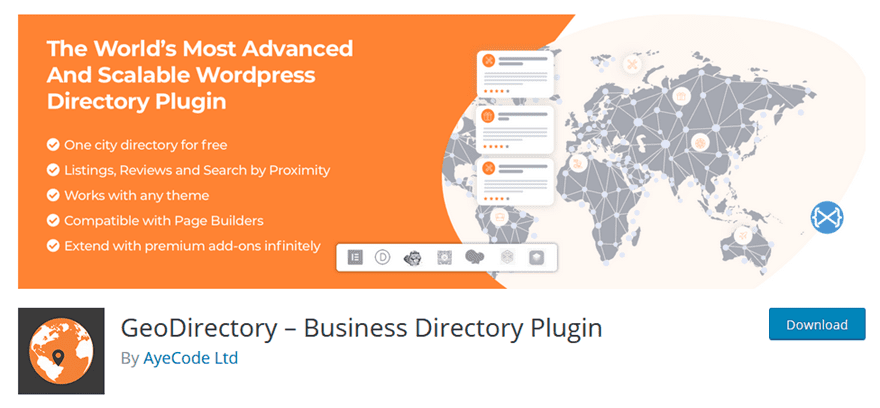
GeoDirectory focuses on high-performance, location-based directories. Among the Best WordPress Directory Plugins, it’s excellent for websites centered around geographic data and maps.
⭐ Best For: City guides, tourism directories, restaurant maps, multi-city directories, neighborhood listings.
➡️Use Case Examples: Use GeoDirectory if you want to build:
- A city directory with maps & filters
- A tourism website (hotels, attractions, restaurants)
- A multi-location business directory
- A real estate directory with map search
- A restaurant finder website
- A travel/activity guide
- A neighborhood-based directory with map clustering
GeoDirectory shines when maps are the heart of your website.
➡️Key Features:
- Google Maps + OpenStreetMap
- Multi-location support
- Ajax filtering
- Custom Post Type support
- User review system
- Import/export tools
- 13 input field types
➡️Pros:
✔ Best map functionality
✔ Extremely scalable
✔ Perfect for large, location-based directories
✔ Highly customizable
➡️Cons:
✘ Requires paid add-ons for full functionality
✘ Steep learning curve
✘ Design requires tweaking
➡️Pricing:
- Free core plugin
- Bundle: $115-$229 (4 months of updates)
Classified Listing

Classified Listing is an AI-powered business directory and classified ads builder that can be customized for building various types of directories.
⭐ Best For: Classified ads, Local business listing, members directories, and internal company databases.
➡️Use Case Examples: Use Classified Listing if you want to build:
- A niche-specific Listing website
- A Classified ads platform like CraigsList
- A membership directory for an organization
- A professionals (doctors/teachers/laywers) directory
- A non-profit member list
- A simple contact information directory
Classified Listing excel in advanced and membership focused directories.
➡️ Key Features:
- Create complete directory structures using AI
- Clean dashboard with intuitive navigation
- Unlimited custom fields with 12 field types and conditional logic
- Ajax-Based Search & Filtering
- Flexible Monetization System
- Multiple Mapping Integrations
- Works with all major WordPress themes
➡️ Pros:
✔ Easy-to-use
✔ Strong monetization options
✔ Supports multiple payment gateways
✔ Scales well from small to large classified websites
➡️ Cons:
✘ Advanced features and addons require the Pro version
✘ Feature-heavy for simple directory builders
➡️ Pricing:
- Free core plugin
- Bundles: $49–$399
Business Directory Plugin
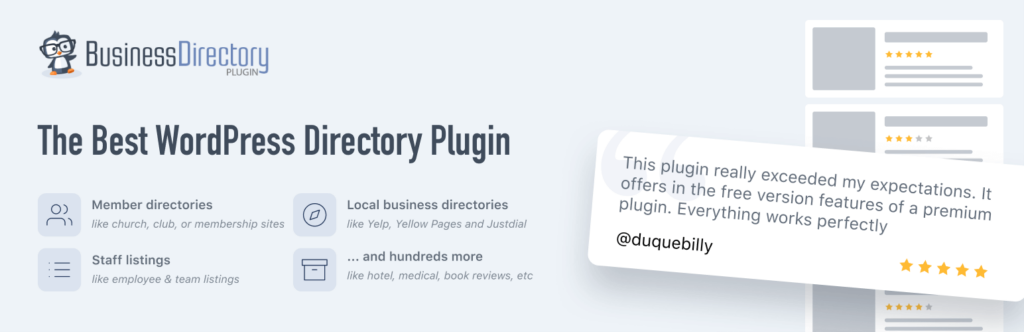
Business Directory Plugin is one of the Best WordPress Directory Plugins, focused on local business listings and small directories.
⭐ Best For: Small local directories, small business listings, community directories, local service directories.
➡️Use Case Examples: Use Business Directory Plugin if you want to build:
- A local business directory (plumbers, salons, gyms)
- A simple yellow-pages style website
- A small-town service directory
- A community listing website
- A local chamber of commerce listings
It’s best for simple, beginner-friendly directories.
➡️Key Features:
- Frontend submissions
- PAYMENT integration (Stripe, PayPal)
- CSV import/export
- Custom form fields
- Image upload rules
- Google Maps support
- Recurring payment support
➡️Pros:
✔ Easy to use
✔ Great for small sites
✔ Good payment features
➡️Cons:
✘ Many core features are paid
✘ Design looks outdated
✘ Not ideal for advanced or large directories
➡️Pricing:
- Free core plugin
- Bundle: $149 – $349
HivePress

HivePress is a modern, lightweight, and beginner-friendly directory plugin packed with essential features. It offers clean layouts and easy customization, making it ideal for users launching a small or simple directory site without advanced requirements.
⭐ Best For: Small business directories, freelance listings, community-driven listings, simple marketplace websites.
➡️Use Case Examples:
- A small local service directory (mechanics, salons, pet services)
- A freelancer listing website
- A minimalist listing directory with filters
- A small rental/booking directory (with extensions)
➡️Key Features:
- Simple listing submission
- Custom fields
- Ratings & reviews
- WooCommerce compatibility
- Several free extensions
➡️Pricing:
- Free core plugin
- Premium add-ons: $199
🔍 Why It Didn’t Make the Top 5
❌ Limited scalability for large directories
❌ Advanced features require multiple add-ons
❌ Map + booking + advanced search features are basic
❌ Not ideal for complex multi-directory sites
Others WordPress Directory Plugins

While the Best WordPress Directory Plugins offer the best flexibility and performance for most directory websites, several other tools are worth considering for specific niches or lightweight use cases. These honorable mentions are still solid options depending on the kind of directory website you are building.
Advanced Classifieds & Directory Pro
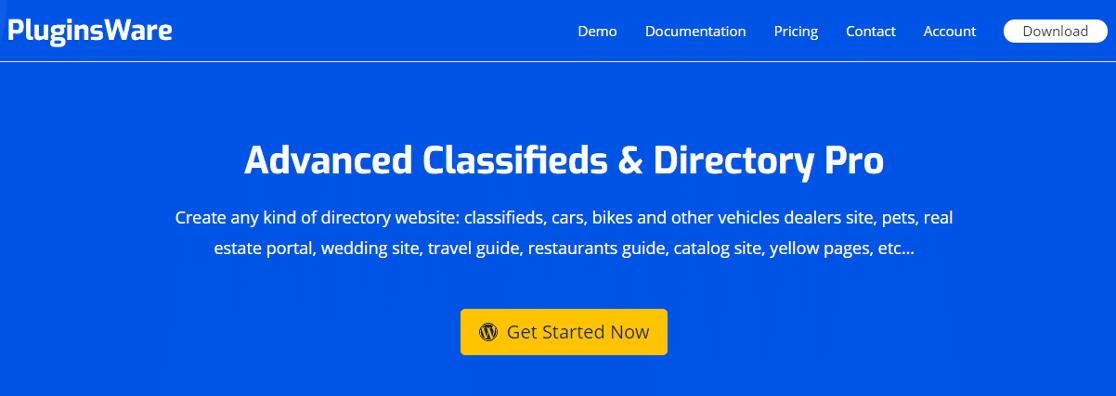
ACDP is designed for category-heavy listing websites and classified ads platforms.
⭐ Best For: Classified ads websites, multi-category marketplaces, listing portals.
➡️Use Case Examples: Use ACDP if you want to build:
- A classified ads website like Craigslist
- A marketplace for buying/selling products
- A multi-category listing website
- A real estate classified site
- A vehicle listing site
- A job posting classifieds portal
Great for category-focused directories with paid promotions.
➡️ Key Features:
- Category-specific custom fields
- Email alerts
- Google Maps integration
- Video support
- Paid promotion listings
- Advanced search widget customization
➡️ Pros:
✔ Best for classifieds
✔ Strong directory custom field controls
✔ Supports both online & offline payments
➡️ Cons:
✘ Outdated UI
✘ Requires extensions for advanced features
✘ Map tools need setup
➡️ Pricing:
- $95.88/year
- Free core plugin
ListingPro

ListingPro is theme-powered directory solution, offering beautiful templates and built-in directory functionality. They are perfect for users who prefer an all-in-one design experience.
⭐ Best For: Visually rich directories, real estate sites, service marketplaces, event listings.
➡️Use Case Examples:
- A modern real estate listing website
- A service marketplace built with Elementor
- A classified-style directory using theme-based layouts
- A city events or attractions directory
➡️Key Features:
- Pre-built directory layouts
- Frontend submissions
- Google Maps search
- Category & filter builder
- Elementor support
➡️Pricing: $69–$79
🔍 Why It Didn’t Make the Top 5
❌ You are locked into the theme (hard to switch later)
❌ Less flexible than standalone plugins
❌ Heavy on performance without optimization
❌ Not ideal for developers who need customization freedom
Directories Pro
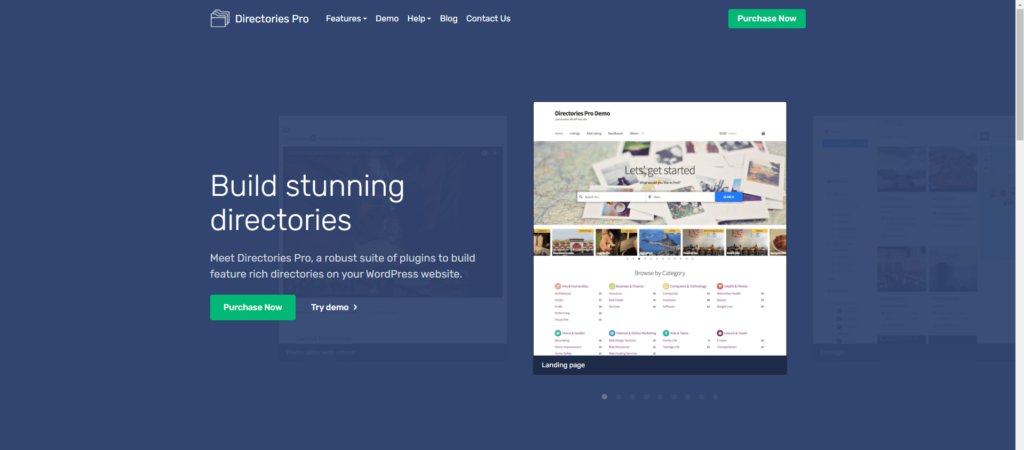
Directories Pro is a feature-heavy directory plugin for users who want deep customization and complete control over directory layouts.
⭐ Best For: Advanced, large-scale directories; complex marketplace-style listings; power users.
➡️Use Case Examples:
- A multi-layered directory with custom taxonomies
- A large marketplace listing website
- A directory with advanced conditional filtering
- A site needing powerful custom field manipulation
➡️Key Features:
- Extensive custom field controls
- Elementor widgets
- Customizable search filters
- Review & rating system
- Ajax-powered results
➡️Pricing: $39
🔍 Why It Didn’t Make the Top 5
❌ Steep learning curve
❌ Can feel overwhelming for beginners
❌ Heavy backend interface
❌ Requires tuning for performance
MyListing Theme

MyListing is a premium directory theme powered by Elementor, ideal for visually appealing listing websites with beautiful search and listing pages.
⭐ Best For: Design-focused directories, event listings, real estate sites, creative service listings.
➡️Use Case Examples:
- A modern real estate directory with map search
- A creative services directory (photographers, agencies)
- A city events directory with beautiful layouts
- A vacation rental listing website
➡️Key Features:
- Custom listing builder
- Modern design templates
- Map search
- Elementor integration
- Review & rating system
➡️Pricing: $69 (ThemeForest)
🔍 Why It Didn’t Make the Top 5
❌ Theme-locked — not flexible
❌ Requires Elementor for all customization
❌ Not ideal for advanced business logic
❌ Hard to scale or migrate
WP Job Manager
WP Job Manager is a lightweight, job-focused directory plugin maintained by Automattic.
⭐ Best For: Job boards, job submission sites, recruitment listings, remote job directories.
➡️Use Case Examples:
- A remote job board
- A local employment directory
- A freelance listing board
- A small job portal for schools or institutions
➡️Key Features:
- Frontend job submission
- Employer and candidate dashboards
- Job alerts
- Paid listings
- Easy setup
➡️Pricing:
- Free core
- Paid add-ons: $29–$159
🔍 Why It Didn’t Make the Top 5
❌ Only for job listings (Doesn’t have multi-purpose functionality like Best WordPress Directory Plugins)
❌ Many essential features require premium add-ons
❌ Limited map + custom field capabilities
For most users, the Top 5 plugins remain the best choices due to flexibility, advanced search, monetization options, and long-term scalability.
Which WordPress Directory Plugin Should You Choose?

Choosing the best WordPress directory plugin ultimately depends on the type of directory website you want to build, your feature requirements, and how much flexibility you need as your site grows. Every plugin in this list can help you launch a directory website, but the right choice will save you time, reduce complexity, and make scaling easier.
Here’s a quick breakdown to help you decide:
Choose Directorist if… (Best Overall)
You want a functional, easy, and all-purpose directory solution that works for ANY directory niche — business listings, local directories, job boards, classifieds, service directories, real estate, events, or even multi-directory websites.
It offers powerful customization, advanced search filters, multi-directory support, monetization tools, and integrations without locking you into a theme.
Best for: Most users, beginners to advanced builders, agencies, and anyone who needs long-term flexibility.
Choose GeoDirectory if…
Your directory is map-driven — such as a tourism website, local business guide, or restaurant finder — and you need location-aware search and multi-city support.
Choose Classified Listing if…
You need a classified ads, local business directory, membership directory, niche listing with structured data and advanced fields.
Choose Business Directory Plugin if…
You want a simple, straightforward local directory with basic submissions, payments, and easy listing management.
Choose HivePress if…
You’re building a lightweight marketplace, multi-category listings platform, or niche-based portal.
So What’s the Best Plugin Overall?
If you want the most versatile, modern, and customized directory plugin among the Best WordPress Directory Plugins that can adapt to almost any niche, Directorist remains the best all-around choice. It offers the ideal balance of:
- Customization
- Performance
- Usability
- Monetization
- Extension ecosystem
- Theme/builders compatibility
…and it grows with your business, whether you’re building one directory or many.
If you’re ready to build a powerful directory website without complexity, you can start with the free version of Directorist on WordPress.org and explore premium extensions as your directory grows. It’s free that reduce your financial risk and beginner-friendly also flexible enough to handle virtually any directory niche.
Taking a right decision will keep you ahead than other directory owners. So don’t rush!
Think wisely and take the right step. Here are some questions that we frequently asked by the people who’re interested to start a directory business or want to scale up their current directory business. Hope these will help you too.
What is a WordPress directory plugin?
A WordPress directory plugin allows you to create listing-based websites such as business directories, job boards, real estate listings, classified ads, service directories, or city guides. These plugins typically offer features like custom fields, search filters, maps, reviews, monetization options, and frontend submission forms.
What is the best WordPress directory plugin?
The best all-purpose WordPress directory plugin is Directorist due to its flexibility, custom fields, advanced filtering, multi-directory support, and seamless integration with page builders and themes. There are also many plugins like GeoDirectory, Connections, Business Directory Plugin, MyListing or Listivo.
Can I build a directory website without coding?
Yes. Directorist allow you to create directory website without writing code. Page builder integrations (Elementor, Gutenberg, Divi) make customization even easier. Most directory plugins includings GeoDirectory, HivePress, and Business Directory Plugin also allow to create directory website without coding.
Can I make money with a directory website?
Absolutely. You can earn money from directory business through multiple monetization methods, such as Paid listings, Featured listings, Membership packages, Claim listings, Paid ads, Booking commissions, Promoted placements and more ways. Directory websites are one of the most profitable WordPress business models.
What features should I look for in the best directory plugin?
Look for these essential features:
Customizable listing fields
Advanced search filters
Frontend submission
Review & rating system
Map integration (Google Maps / OSM)
Payment gateways
Multi-directory support
SEO-friendly structure
Page builder compatibility
Extensions/add-ons
The more flexible the plugin, the easier it will be to scale your directory.
Can I use Elementor or Gutenberg with directory plugins?
Yes. Many plugins support page builders:
Directorist: 25+ Elementor widgets + Gutenberg blocks
GeoDirectory: Elementor & block compatibility
MyListing/Listivo: Built around Elementor
Builder compatibility helps you create custom layouts without coding.
Which WordPress directory plugin is best for real estate websites?
For real estate directories, the best options are:
Directorist — dRealEstate themes, custom fields, maps, filtering
GeoDirectory — great for map-based real estate
MyListing — visually rich property layouts
These plugins support property types, locations, pricing, and other real estate-specific fields.
Which plugin is best for a job board?
If you’re building a job listing website:
Directorist (very flexible for job board structure)
WP Job Manager (job-focused & lightweight)
MyListing (job-ready templates)
Choose based on design needs, customization, and niche requirements.
Which plugin is best for classified ads?
Directorist is the best for creating classified ads websites. It supports multi-category listings, media uploads, and paid promotions.
Are directory plugins SEO-friendly?
Yes, most modern directory plugins including Directorist is SEO friendly. They offer Schema markup, SEO-friendly URLs, Structured listing fields, Optimized pagination, Clean HTML output, Compatibility with SEO plugins like Yoast, Rank Math, etc. SEO largely depends on your content and site structure.
Can I migrate from one directory plugin to another?
Migration is possible but requires careful handling. Most plugins support CSV export/import, including:
Directorist
Business Directory Plugin
GeoDirectory
Connections
However, features and custom fields may need manual adjustment during migration.
Are there any free WordPress directory plugins?
Yes. Directorist the most popular free WordPress directory plugin. Other plugins like GeoDirectory, HivePress, Connections, Business Directory Plugin, ACDP also offer free core versions.
How many listings can a WordPress directory plugin handle?
A well-optimized directory plugin can handle thousands to hundreds of thousands of listings, depending on multiple factors like Hosting quality, database optimization, caching, theme. However. Directorist offer unlimited listing facilties.
Can I create multiple directory types on one website?
Directorist offers built-in multi-directory support, allowing you to create multiple directory types on one website.
It’s Your Turn…

We’re about to end today, but Directory websites continue to grow across industries. Choosing the right plugin today can save you months of rework later and set your directory project up for long-term success.
No matter which plugin you choose, the most important step is to start. In this way, Directorist is a handy solution that can align with your goals. Besides the tools we reviewed above, you’re now fully equipped to make a confident decision and build a directory site that actually make profit.
We welcome you to share if you know a better directory plugin we didn’t mention, or a better way to build a directory website, insights, or real-world experiences.
Drop your thoughts, suggestions, or plugin recommendations in the comments below — your input helps the entire directory business community.
And if you want to connect with other directory builders, marketers, and developers, feel free to join the Directorist Community. It’s a great place to share ideas, get insights, request features, and learn from others building successful directory projects.
Let’s keep the conversation going – your idea might help to build the next Yelp, Craigslist, or TripAdvisor!


Editorial Staff
Directorist Editorial Staff is a team of WordPress geeks that provides quality content for WordPress users. Primarily the team works for all the ingredients needed for establishing a directory listing website in WordPress. Moreover, you will get numerous web content related to the WordPress blog, Digital marketing stuff, social post, text documentation, visual guides, and so on.


Leave a Reply
You must be logged in to post a comment.