



Table of Contents
- 1 Create a Local Business Directory Combining City with Category
- 2 Structure the Site for Local Search Before You Add a Single Listing
- 3 Get Your First 50 Listings Before You Open to Submissions
- 4 Give Local Business Owners a Reason to Claim Their Listing
- 5 How to Position Against Google Maps and Yelp
- 6 When to Start Charging
- 7 The Timeline That Reflects Reality
- 8 One More Thing: Keep the Quality Bar High
- 9 Common Questions Asked By Directory Owners
- 9.1 How many listings do I need before launching a local directory?
- 9.2 Can a small local directory compete with Google Maps or Yelp?
- 9.3 How long does it take to make money from a local business directory?
- 9.4 Should I charge for listings from day one?
- 9.5 How do I get businesses to claim their listing?
- 9.6 Do I need a separate directory for each city I want to cover?
How to Create a Local Business Directory for a Specific City (and Actually Get Listings)
-

- Tutorials
- 13 mins read
Most guides about building a local business directory stop at the wrong place. They show you how to install a plugin, add categories, and upload a logo. Then they wave you off with “start adding listings” – as if that’s the easy part.
This how-to guide isn’t. The hard part of a local directory has nothing to do with technology. It’s the cold-start problem: how do you get 50 real businesses listed in a city where nobody has heard of you, before you have any traffic to show them?
This article is about that cold-start problem most directory founders face. It assumes you already know you want to build a city directory website. It won’t walk you through WordPress installation or plugin setup the “Ultimate Guide to Create a Directory Website” covers that ground in full.
What this guide covers is the strategic layer that sits on top: how to pick a city and category you can actually win, how to structure the site for local search, how to get your first listings without a sales team, and when to start charging.
Create a Local Business Directory Combining City with Category
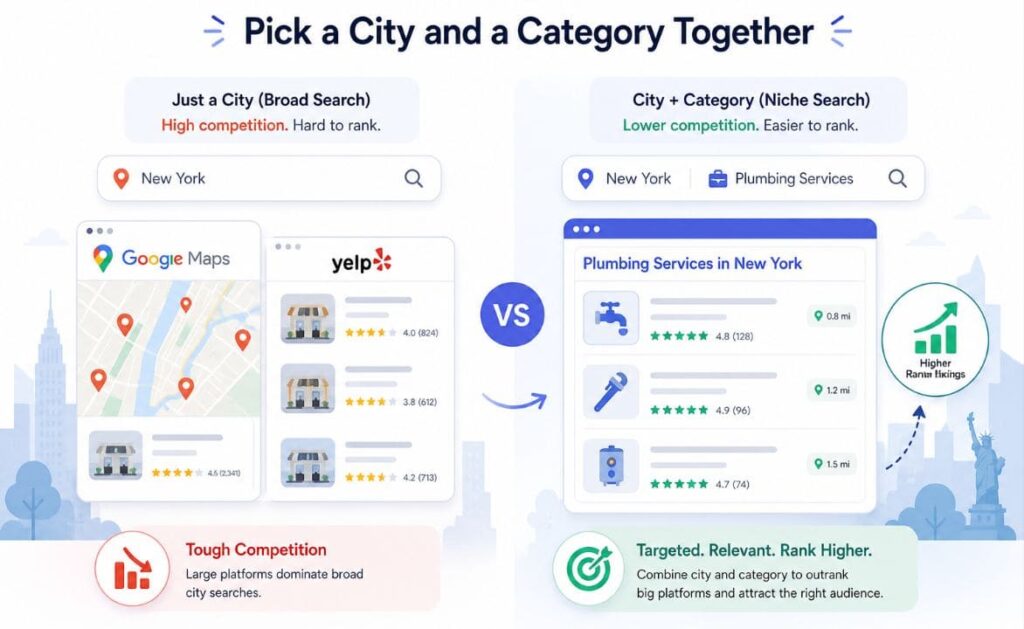
“A local business directory for Austin” is still too broad. Austin has thousands of businesses across dozens of categories. You would be competing with Yelp, Google Maps, and established local publishers from day one, across every search term that matters.
The combination that works is city plus category. A directory of verified contractors in Austin. A directory of independent coffee shops in Portland. A directory of wedding venues in the Scottish Highlands. These are specific enough to own something in search, focused enough to attract a clearly defined audience, and narrow enough that you can populate them properly before launch.
The category matters as much as the location in a city directory website. Some categories have characteristics that make them easier to monetize. Service businesses such as plumbers, electricians, solicitors, accountants – where a single new customer is worth hundreds of dollars have reasons to pay for visibility.
Restaurants are harder to get listed as margins are thin and competition for listing attention is intense. Retailers are harder too because of similar reasons. If this is your first directory, start with a category where the value of a lead is clear and the business owner can see it.
The city choice should follow search demand, not personal preference. Use Google’s autocomplete and “People Also Ask” results to test whether people are actively searching for your category in that location. “Best [category] in [city]” searches that return generic or weak results are an opportunity.If the top results are thin listicles from national publications with no local expertise, you have a realistic chance of outranking them within six to twelve months.
Where Directorist helps – Category and Location
The multi-directory feature lets you run more than one focused directory from a single WordPress install. If your first city-category combination works, you can replicate the model in a second city or a second category without starting from scratch technically.
Structure the Site for Local Search Before You Add a Single Listing
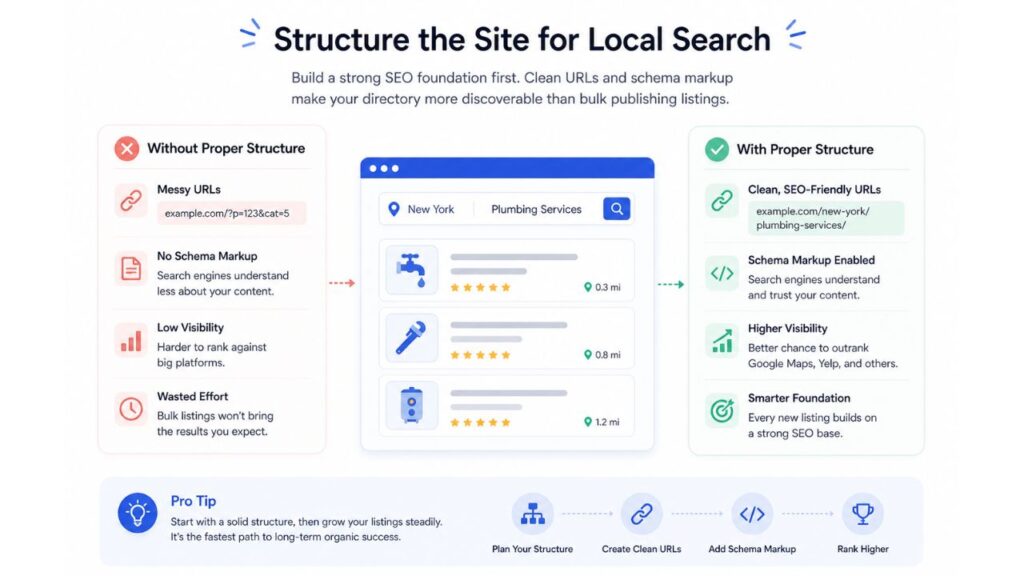
Local SEO for a directory is different from local SEO for a business. You are not trying to rank one page – you are trying to rank dozens of them, one for each meaningful combination of category, neighborhood, and service type in your city directory website.
The URL structure you set up at the start determines whether this is possible. A structure like /plumbers/austin/ for your category landing page, and /plumbers/austin/business-name/ for individual listings, tells search engines exactly what each page is about and how the pages relate to each other. A flat structure where all listings live under /listings/ makes this much harder to achieve later without a painful migration.
Category landing pages are the most important pages on a local business directory website, and they are almost always the most neglected. Each one should explain what the category covers, why your directory’s listings in that category are worth finding, and what makes businesses in this category different in this specific city. A paragraph of real, locally informed content on each category page does more for your search visibility than ten thin listing pages.
Neighbourhood pages are worth building as you grow. If you are covering Austin, a page for contractors in East Austin and a page for contractors in South Congress will rank for searches that a single city-wide page never will. Build these as you have enough listings to populate them meaningfully – do not create empty location pages just to have them.
Schema markup on every listing page tells Google that this is a business with a name, category, address, phone number, and operating hours – and makes your listings eligible for rich results in search. This is technical but important.
Where Directorist helps – Built in SEO Features and Taxonomy
Directorist SEO features allows you to generate LocalBusiness schema markup automatically on every listing page. It allows you to create cleaner URLs using WordPress’s default taxonomy archives as well as it’s own taxonomy that follows the /category/location/listing-name/ pattern which search engines reward for local queries. Both of these would take significant developer time to implement manually.
Get Your First 50 Listings Before You Open to Submissions
A local business directory website with five listings is not a directory. It is an empty room. Nobody submits to an empty room, and nobody searches one twice. You need to reach a minimum viable density – enough listings that the local business directory website looks and feels like a real resource – before you invite organic submissions or consider charging.
Fifty listings is a reasonable target for launch. It is enough for a user to search, filter, and find something useful. It is enough for a business owner to see that they would be in real company. It is not so many that building it manually feels impossible.
Wondering how to get listings for a directory? There are three ways to build the initial inventory.
The first is manual research. For most local categories, a significant amount of the data you need is publicly available. Google Maps, business association directories, Chamber of Commerce member lists, council or local government registers – these are legitimate sources you can use to compile an initial dataset. Collect name, address, phone, website, and a short description for each business, put it in a spreadsheet, and import it.
The second is CSV import. Once you have your spreadsheet, a bulk import tool lets you add all fifty listings at once rather than one at a time. This is the most practical path for anyone building without a team.
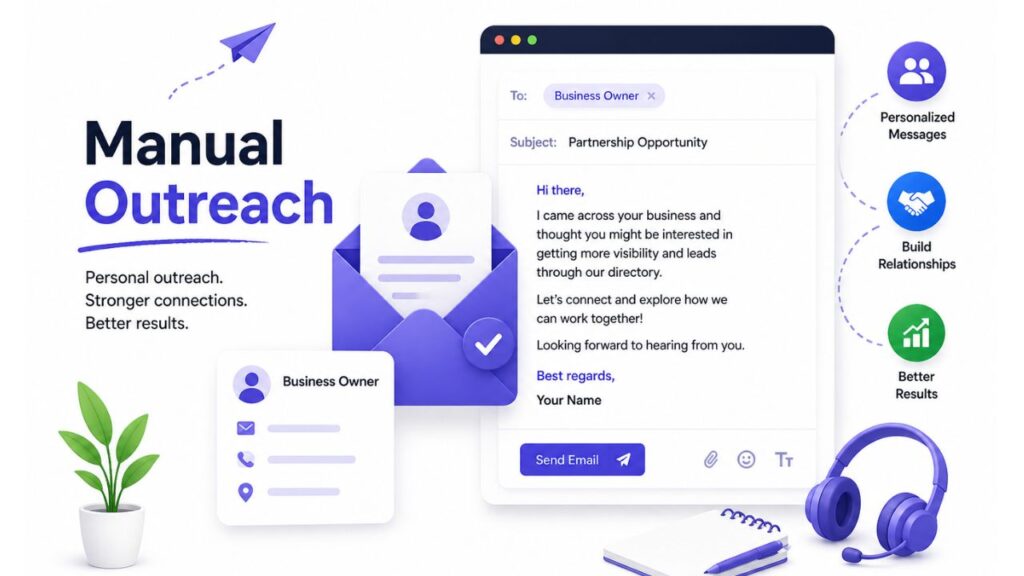
The third is direct outreach. Contact twenty or thirty businesses in your category before launch, explain what you are building and why it benefits them, and offer a free featured listing in exchange for claiming their profile and adding their own content. You get real, owner-verified listings. They get early visibility. A response rate of 20 to 30 percent from a genuine, specific outreach is realistic.
Do not open to public submissions until you have that initial density. And do not open paid listings until you have enough traffic to demonstrate that being listed produces something real.
Where Directorist helps – Bulk Import and Export
Directorist includes a CSV bulk importer that lets you upload a spreadsheet of listings directly. The admin approval workflow means every imported listing goes through a review step before it goes live, so you can maintain quality even when adding listings in volume.
Give Local Business Owners a Reason to Claim Their Listing
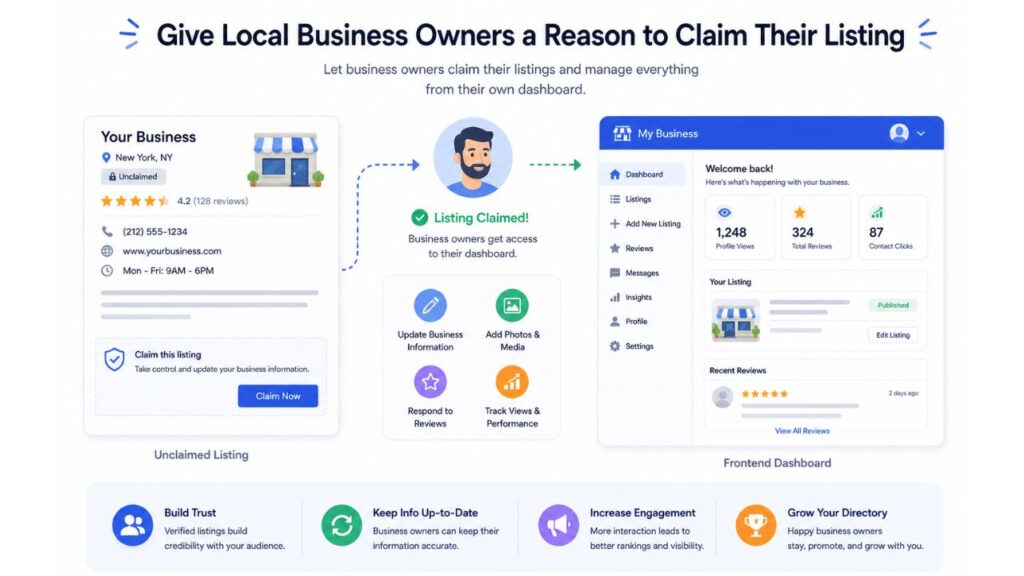
Once you have populated the local business directory website with researched listings, the next step is converting those unverified entries into claimed, owner-managed profiles. This matters because an owner-managed listing is more complete, more accurate, and more likely to include photos, opening hours, and a real description. It is also the first step toward a commercial relationship.
The mechanism is simple: every listing gets a “claim this listing” option. The business owner registers, verifies that they represent the business, and then gains access to edit their profile. You control what the free claimed tier includes and what requires an upgrade.
The pitch for claiming is straightforward. You explain that the listing already exists, that people may already be finding it, and that claiming it lets the owner control what those people see. Some businesses add QR codes on business cards that lead directly to their directory profile, making it easier for people to find updated contact details and business information later.
Most business owners, once they understand this, will claim. The ones who do not are usually the ones who have not seen the message yet.
A short, specific outreach email works better than a generic one. Name the business, name the city, mention that you built a directory specifically for this category in this location, and give them a direct link to their existing listing. Response rates for this kind of targeted outreach are consistently higher than broad marketing.
Where Directorist helps – Claim Listing & Listing Owners Dashboard
Directorist’s claim listing functionality lets unverified listings be claimed by their owners through a front-end verification process. Combined with the listing owner dashboard, which shows views, clicks, and enquiries – claimed listings give business owners visibility into what they are getting from their presence on your directory.
How to Position Against Google Maps and Yelp
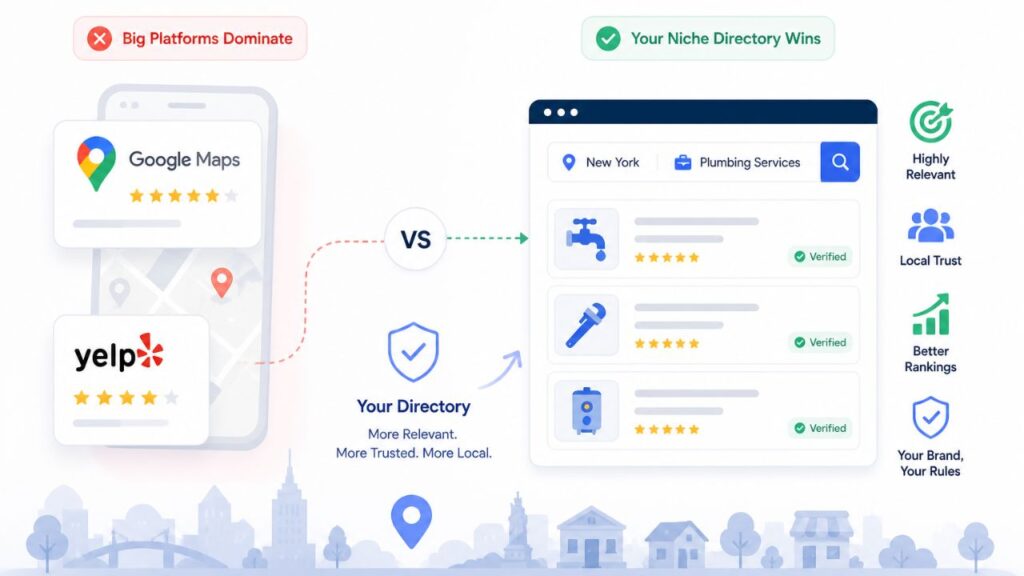
This is the question most local business directory website builders avoid because the honest answer feels discouraging. You are not going to beat Google Maps for “plumbers Austin.” You should not try to.
What you can do is own the searches that Google Maps and Yelp handle badly. Large platforms optimise for breadth. They show every business that matches a query, ranked by reviews and proximity, with no editorial judgment about quality, relevance, or trustworthiness. That is useful for some searches. For others, it leaves a gap.
A local business directory website that verifies its listings, curates based on defined criteria, and adds editorial context can own the searches that include qualifiers: “best,” “vetted,” “certified,” “women-owned,” “sustainable,” “independent.” These modifier searches are where a niche local directory listing site has a structural advantage over a platform that treats every listing equally.
The practical implication for content: your category landing pages and your blog content should target these qualified searches specifically. “Best independent coffee shops in Portland” and “certified organic restaurants in Manchester” are searches where a curated, locally authoritative directory can outrank both Yelp and general listicles, because neither of them has the depth or the local credibility to answer them properly.
Your editorial criteria – whatever makes a listing qualify for your directory – become your differentiator. Make them explicit. Put them on the site. Tell business owners what standard they need to meet. That standard is the reason your directory is worth searching and worth being listed in.
When to Start Charging
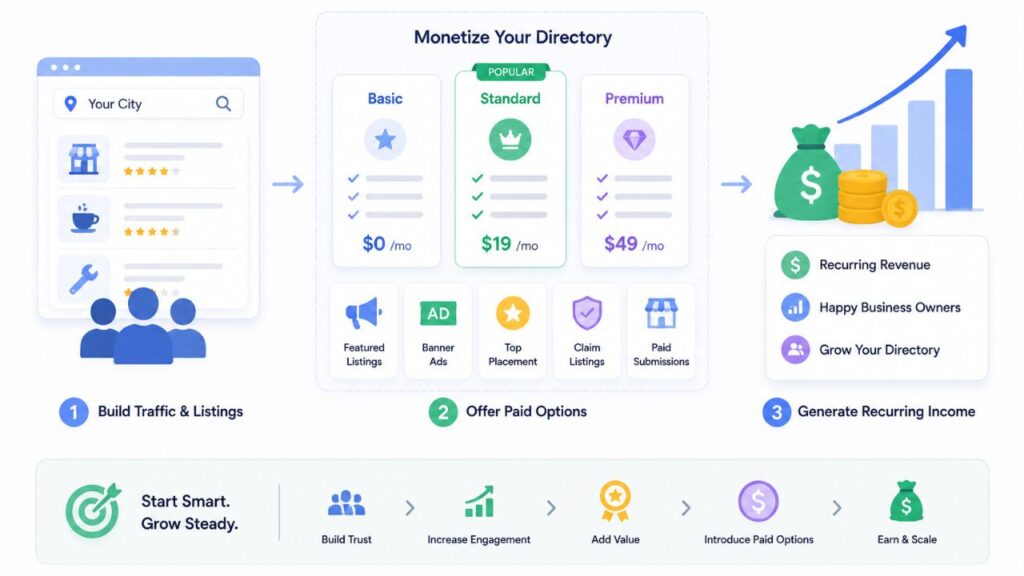
The common mistake is charging too early. The second common mistake is never charging at all.
The right moment to introduce paid listings is when you can demonstrate value to the business owner — specifically, when a business owner who has been listed for two or three months can see that their listing has received views, clicks, and at least some enquiries. At that point, you are not asking them to pay for a promise. You are asking them to pay for something they have already observed working.
For most local directory listing sites, this moment arrives somewhere between month three and month six of operation, assuming you have been consistent about adding listings and building traffic through content and local SEO.
The model that tends to work well for local directory listing sites is a tiered structure: free listings for basic presence, paid listings for enhanced visibility (featured placement, priority in search results, additional photos, a booking button). The free tier gives you listing volume and legitimacy. The paid tier gives you revenue and a clear upgrade path for businesses that find the directory valuable.
Start with a price that feels slightly low. You can raise it once you have proof. You cannot easily recover from pricing yourself out of early adoption before you have traction.
Where Directorist helps – Monetization Tools
Directorist’s pricing plans feature lets you configure free and paid listing tiers, set pricing, and connect Stripe or PayPal – all without a developer or a separate payment plugin. You can set this up from the beginning and leave it switched off, then activate it when you’re ready to charge.
You can also earn from advertisements – the Ads Manager extension simplifies ads management within your directory – be that banner ads or ads distributed via Google AdSense or Meta Pixel or a dynamic HTML ad.
The Timeline That Reflects Reality
Month one and two: research, setup, and building your initial fifty listings. Do not launch publicly until you have them. Checkout the Pre-Launch and Early Growth Playbook designed for this stage.
Month three and four: launch, start direct outreach to get listings claimed, publish two to three pieces of local content per month targeting qualified category searches.
Month five and six: assess traffic. If organic visits are growing week on week, you are on track. Start soft-launching your paid tier to businesses that are already active in the directory.
Month seven through twelve: compound. Content builds authority, claimed listings improve quality, paid listings begin generating revenue. This is the phase where consistency matters more than new initiatives.
Month twelve to eighteen: evaluate expansion. If your first city-category combination is working, apply the same model to a second city or an adjacent category. The infrastructure is already in place.
Most directories that fail quit somewhere between month four and month six. The traffic is not yet significant enough to feel validating, and the revenue is not yet consistent enough to feel real. That window is where the majority of the work is being done beneath the surface. Push through it.
One More Thing: Keep the Quality Bar High
A local business directory website lives or dies on the quality of its listings. One spam listing, one closed business still showing as open, one fake review – these erode the trust that makes a directory worth using.
Review every listing before it goes live. Build a simple approval checklist. Check that the business exists, that the contact details are accurate, and that the description is legitimate. As volume grows, this process takes longer – but it is what separates a directory worth paying to be in from one that is free because it is not worth paying for.
The quality standard you set in the first six months is very difficult to change later. Set it high from the start.
If you are ready to build, the Ultimate Guide to Create a Directory Website covers the full technical setup: domain, hosting, WordPress, plugin installation, and configuration. Come back here when you have the basics in place and are ready to think about traction.
Start with Directorist free and build your initial directory before spending anything. The core plugin gives you enough to structure your categories, import your first listings, and test your niche before committing to a paid plan.
Common Questions Asked By Directory Owners
How many listings do I need before launching a local directory?
50 is a reasonable minimum for a city-plus-category directory. It is enough that a user searching your site finds real results rather than a near-empty list, and enough that a business owner can see they would be in credible company. Below that threshold, the directory does not yet function as a resource – it functions as a placeholder.
Can a small local directory compete with Google Maps or Yelp?
Not on the same searches, and you should not try to. Google Maps and Yelp rank every business that matches a broad query, with no editorial judgment. What they do not do well is answer qualified searches – “verified,” “certified,” “independent,” “sustainable.” A local directory with a defined standard for what earns a listing can own those modifier searches. The competition to win is not Google Maps for “plumbers Austin.” It is Google Maps for “vetted plumbers Austin” – and on that search, a well-built niche directory is in a strong position.
How long does it take to make money from a local business directory?
For most directories, somewhere between month 3 and month 6 is when the conditions for paid listings are met: traffic, claimed listings, content, authority. Expecting revenue before that is realistic only if you are driving significant paid traffic. The business model compounds over time – the revenue in month 12 is usually meaningfully larger than the revenue in month 6, because both traffic and listing count keep growing.
Should I charge for listings from day one?
Set up your paid tiers from the beginning so the infrastructure is ready, but do not activate them until you can show a business owner that being listed produces something. That means views, clicks, and ideally some enquiries they can trace back to the directory. Charging before you can demonstrate value makes the sale hard and creates churn when businesses do not renew. Charging after you have proof makes the sale straightforward.
How do I get businesses to claim their listing?
Direct, specific outreach works better than any automated approach. Name the business, name the city, mention that their listing already exists on your directory, and give them a link to it. Explain that claiming it lets them control what visitors see. Most business owners respond to this because the listing is already live and they want to manage it. A response rate of 20%-30% from genuinely targeted outreach is achievable.
Do I need a separate directory for each city I want to cover?
No. You can run multiple city-focused directories from a single WordPress install using Directorist’s multi-directory feature. Each directory has its own categories, listing types, and URL structure, but they are all managed from one dashboard. You do not need to rebuild the technical infrastructure from scratch for each new market.


Editorial Staff
Directorist Editorial Staff is a team of WordPress geeks that provides quality content for WordPress users. Primarily the team works for all the ingredients needed for establishing a directory listing website in WordPress. Moreover, you will get numerous web content related to the WordPress blog, Digital marketing stuff, social post, text documentation, visual guides, and so on.

Leave a Reply
You must be logged in to post a comment.